Notarized
A traveling notary walking up to a front porch with a document case.

Jobs that fit your commission, with the fee on them.

Offices post remote sessions and traveling signings. The marketplace shows you the ones that match your state, credentials and coverage area, with the fee and the distance, and you claim or bid from the same screen.

From posted to yours.

Four screens from the notary side. Sample data throughout.

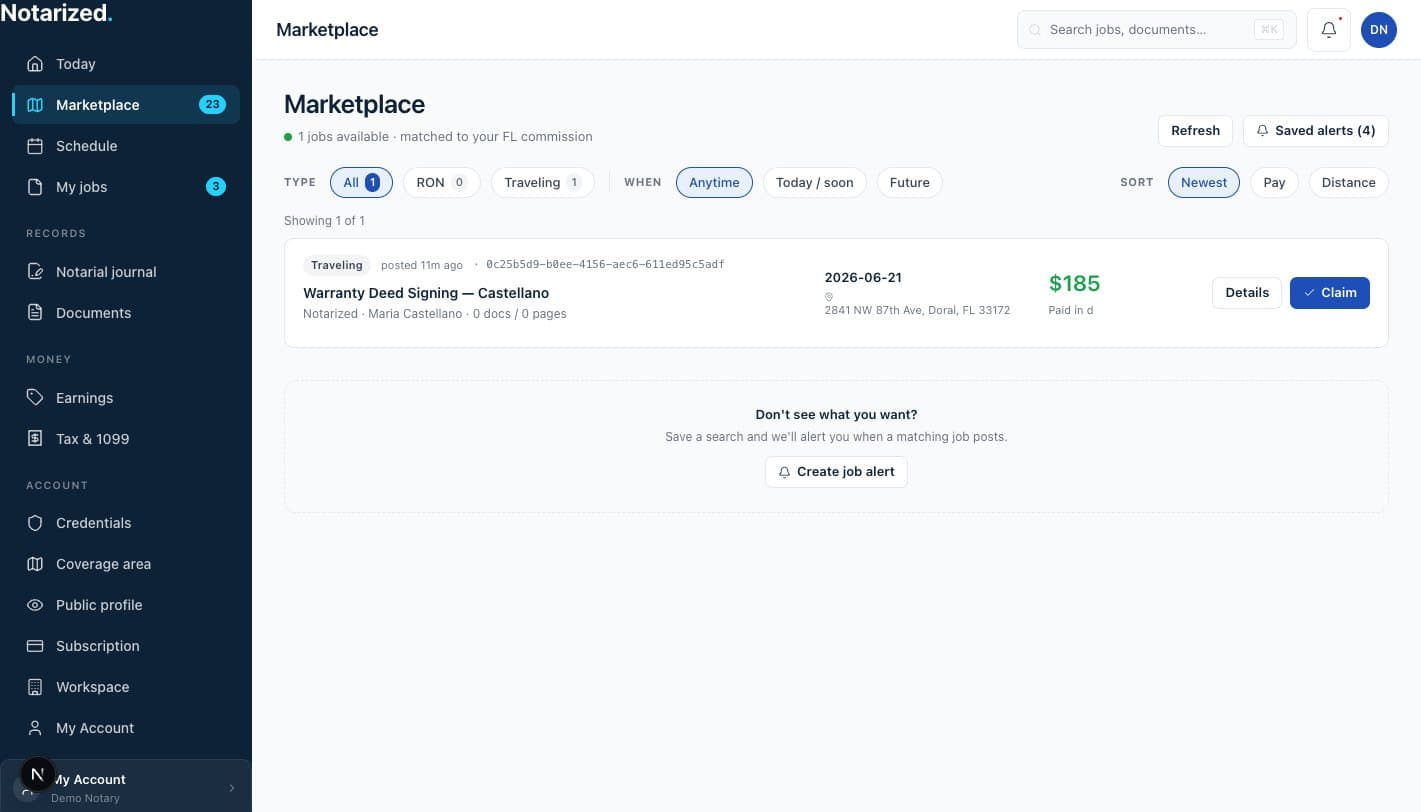
The notary workspace with coverage area and credentials in the sidebar, and a matched job in the marketplace.

Sample data.

Set where and what you cover

Your commission state, the credentials on your profile and the area you travel to, with a radius. That is what jobs are matched against.

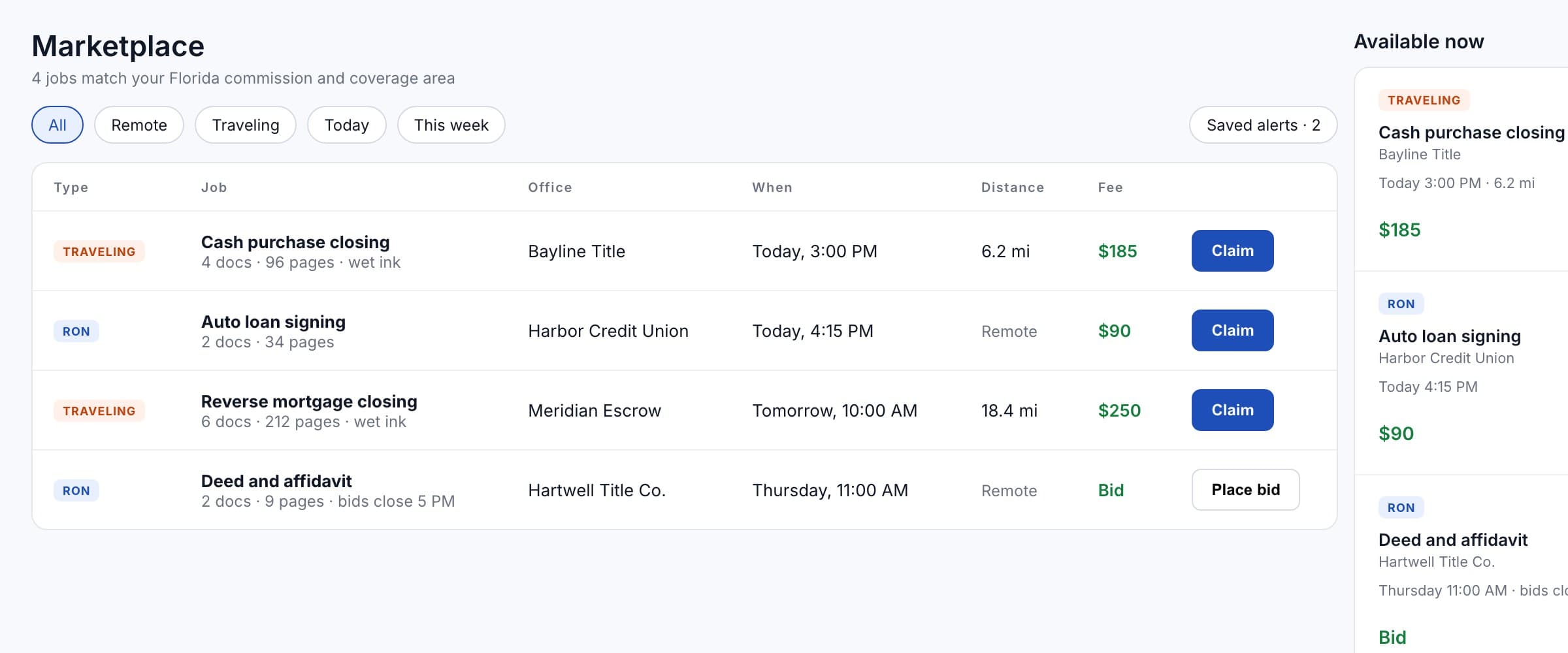
The marketplace list: four matching jobs with type, office, time, distance and fee, three to claim and one taking bids.

Sample data.

Matching jobs appear

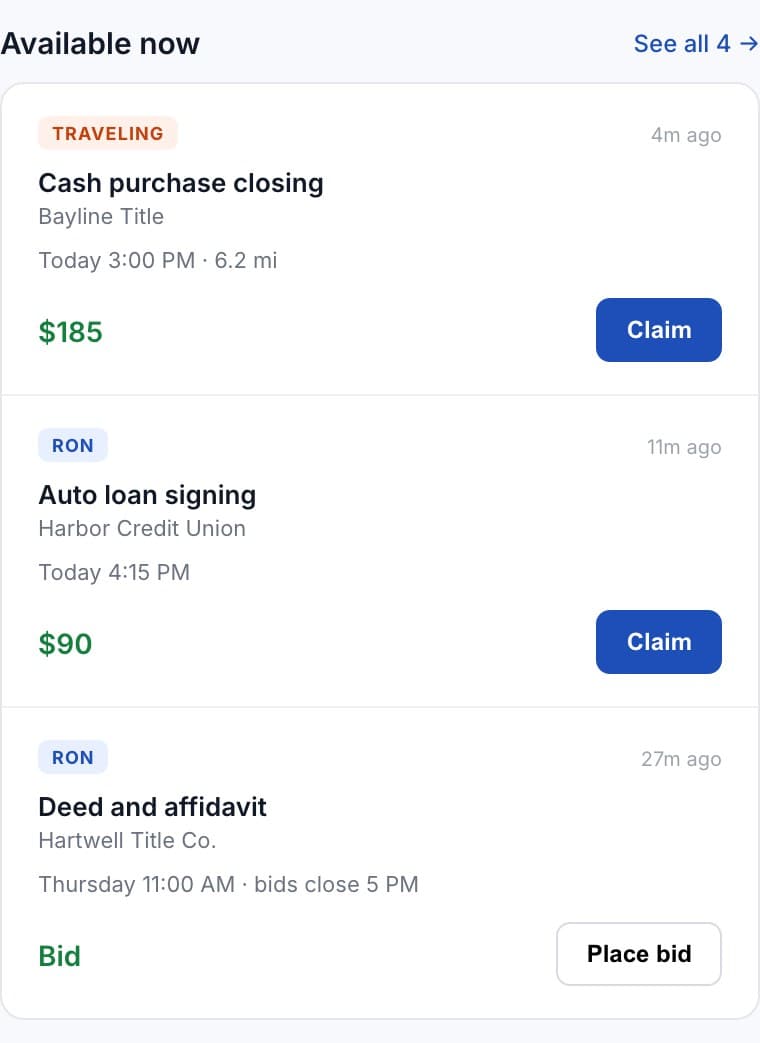
Remote sessions that fit your commission state, traveling signings inside your coverage area. Each shows the office, the documents, when, and what it pays.
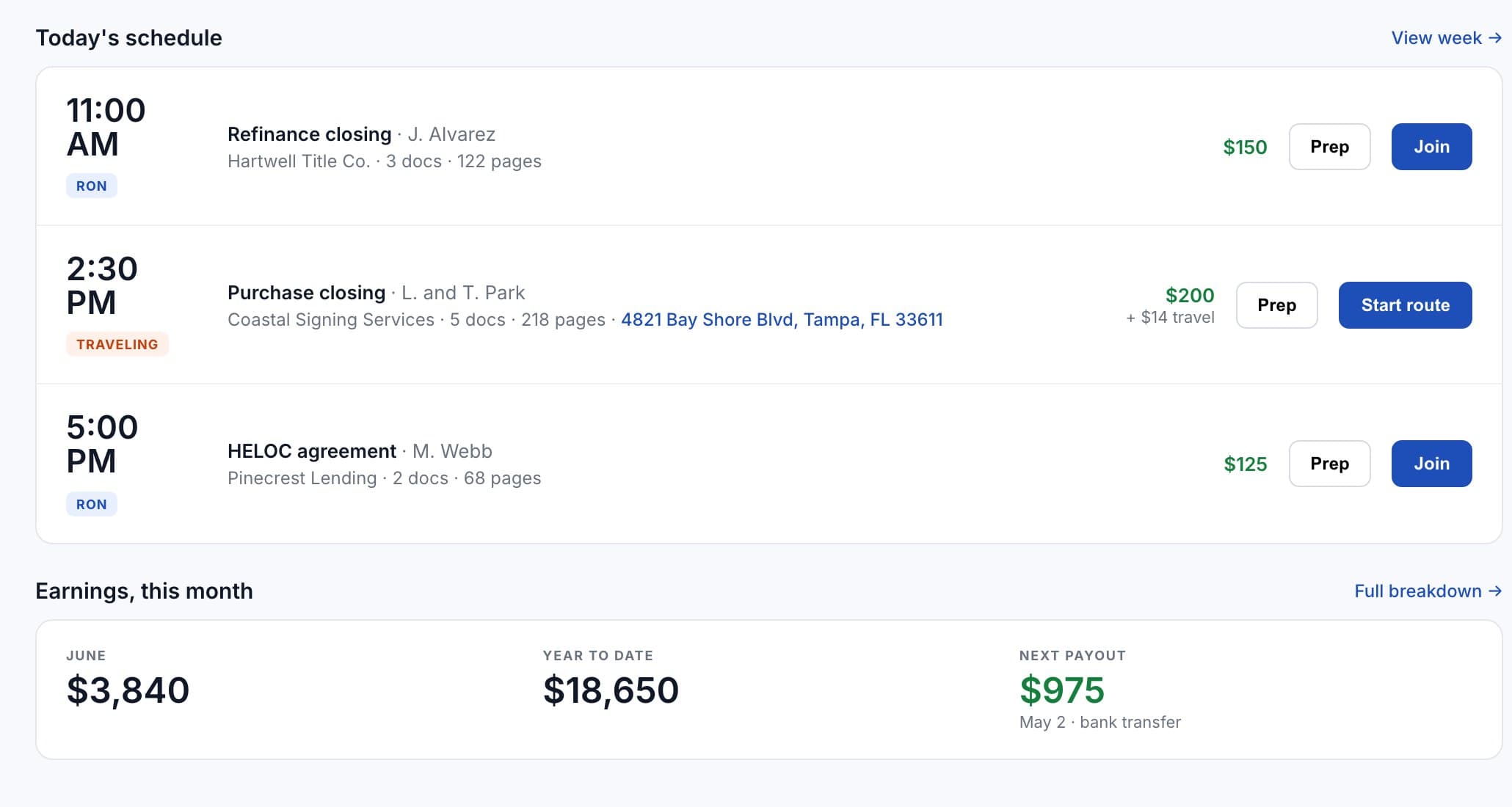
The Today screen: the day's schedule with fees, and jobs available now with claim buttons.

Sample data.

Claim it, or bid

Some jobs are first come; others take bids. Either way the fee is on the job before you commit, and your day updates when it is yours.
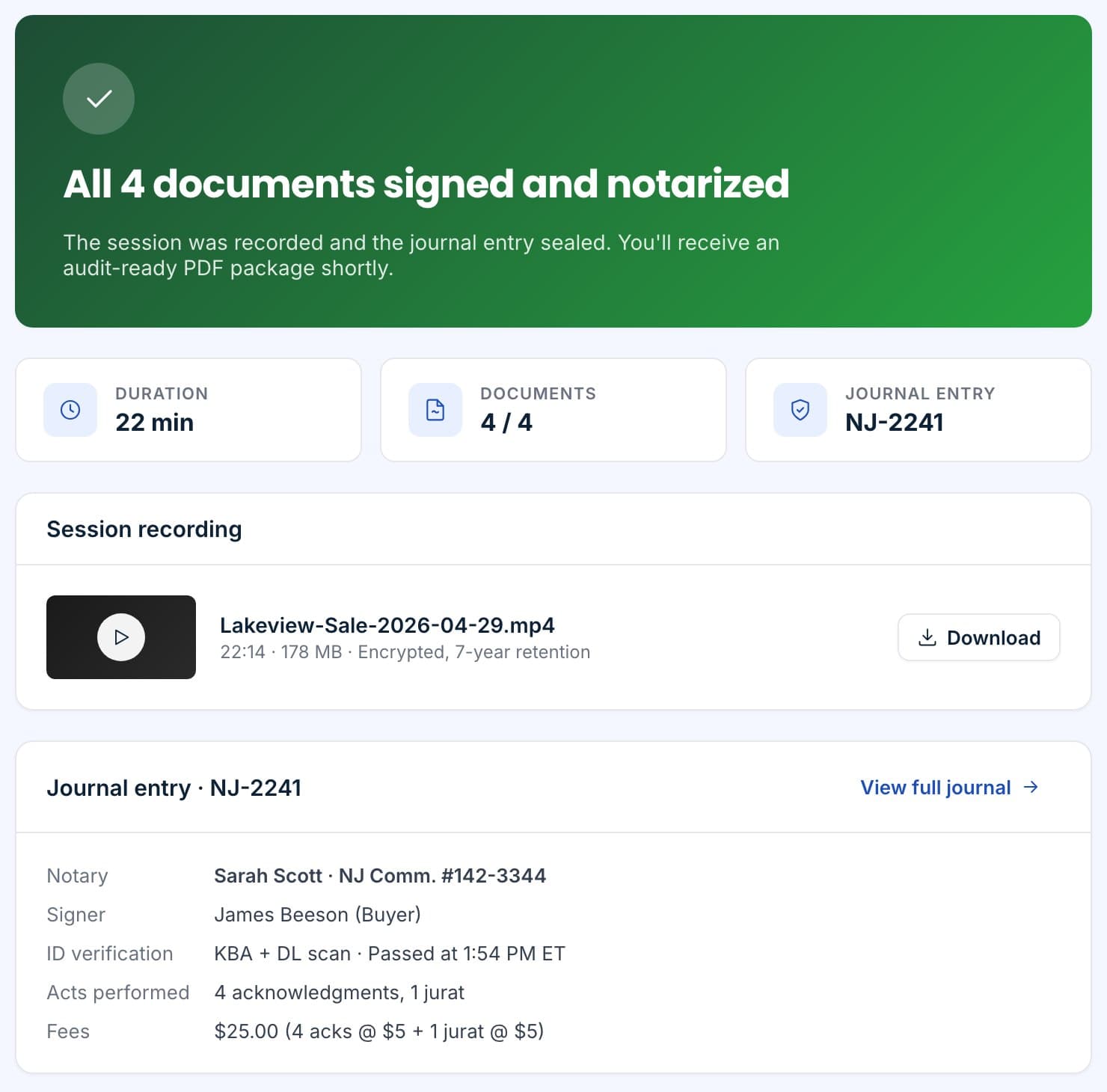
Session complete: recording, journal entry and the hand-off to recording.

Sample data.

Do the job, and it closes itself

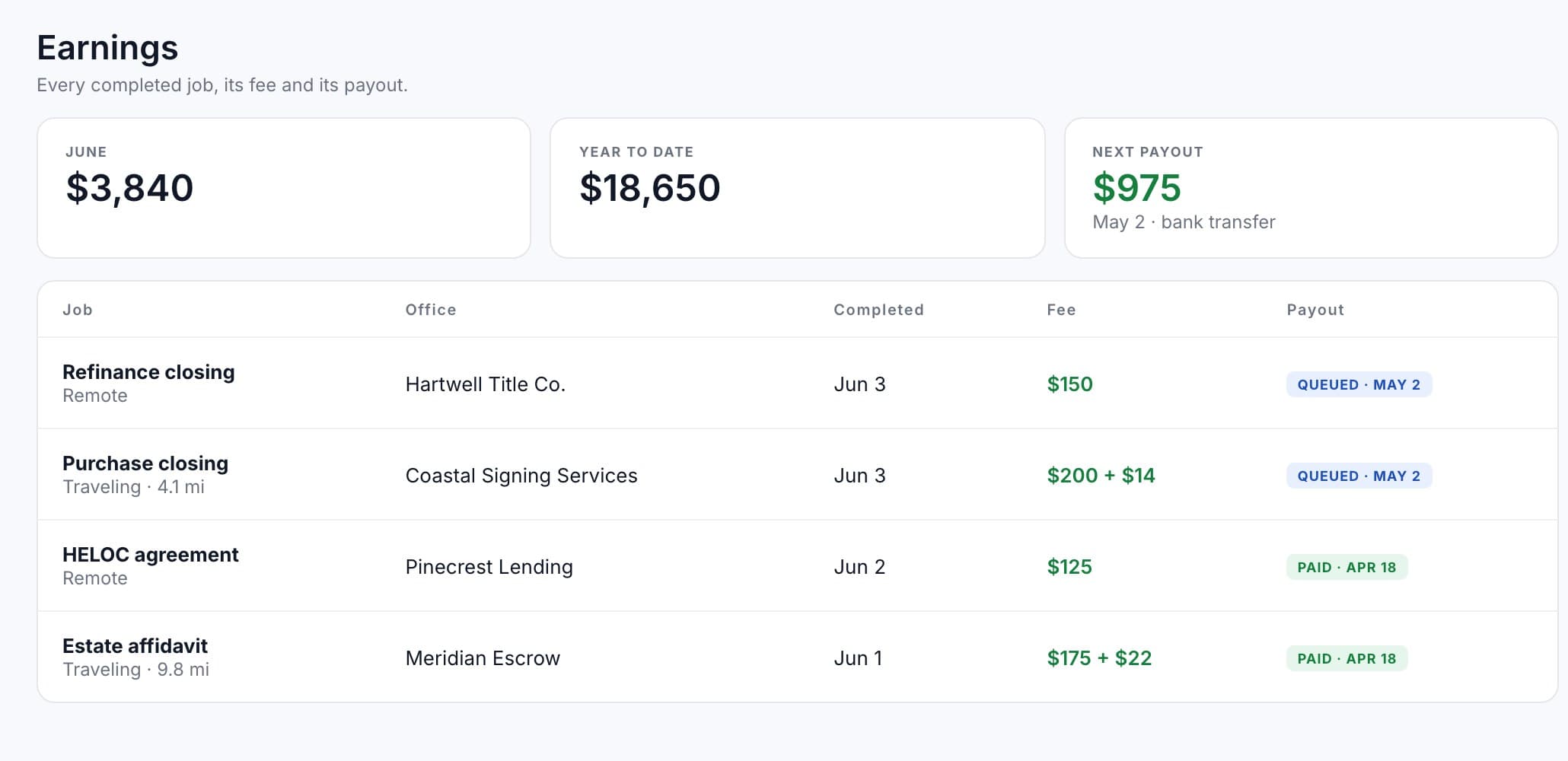
Run the session or the visit. The journal entry writes, the packet returns to the office, and the fee is queued for payout.

Traveling when they need a person, remote when they do not.

Take both kinds of work or only one. Traveling jobs come with the address and the distance; remote sessions come with a link and a time.

How matching works.

A job is shown to you only when it fits. Nothing here is a ranking, and there is no rating.
  • Commission stateRemote sessions are matched to the state you are commissioned in.
  • CredentialsJobs that require a certification are shown only to notaries whose profile carries it.
  • Coverage areaTraveling jobs inside the area and radius you set, with the travel distance on each.
  • Your own officesOffices you already work with can add you to their roster and dispatch to you directly, skipping the marketplace.
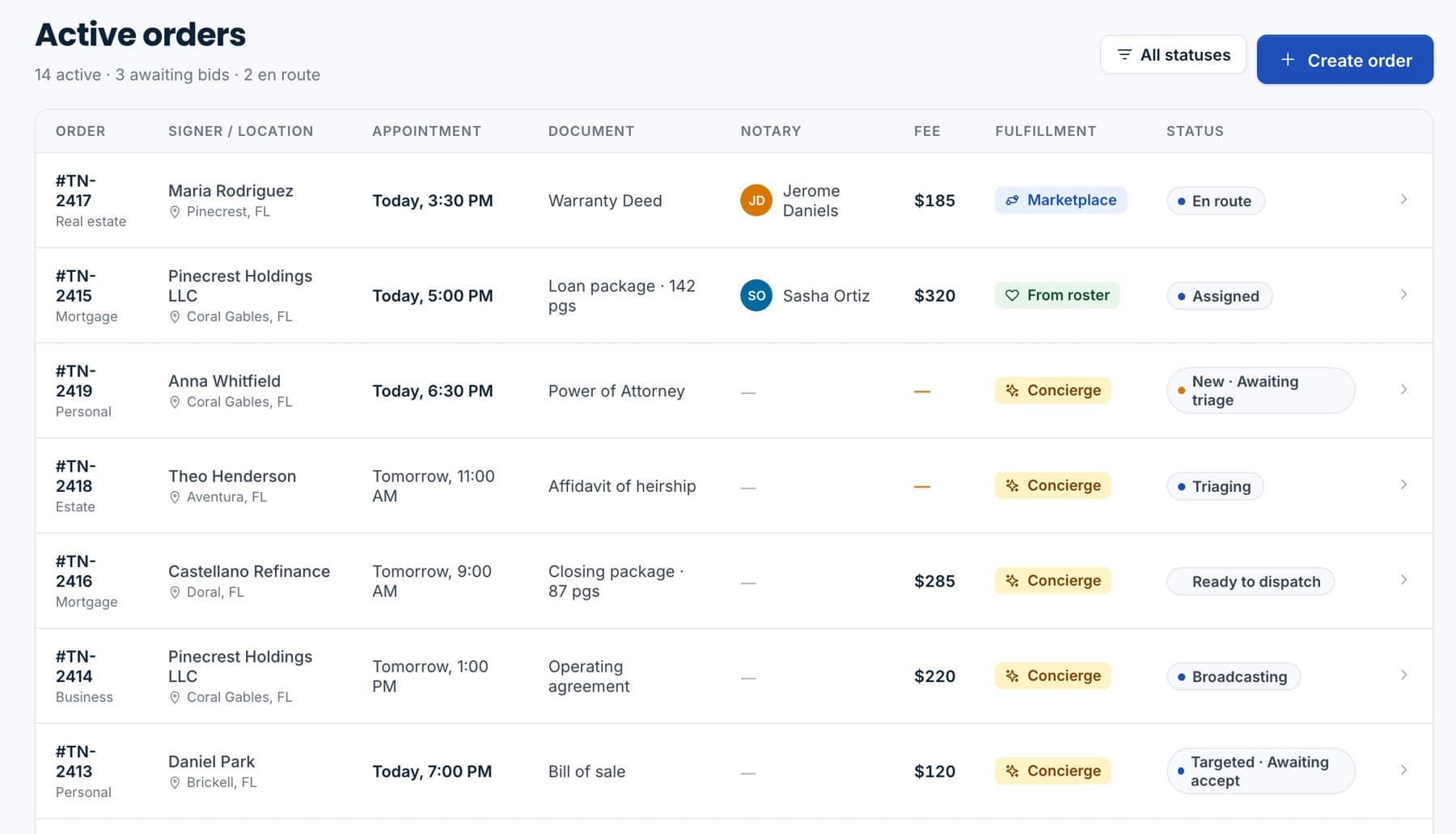
An office's active orders with the notary assigned to each and the fee.

Sample data.

Two ways work reaches you.

The marketplace, or an office that already knows you.
MarketplaceOpen jobs matched to your profile, with claim or bid.
Roster dispatchOffices send orders straight to notaries on their roster.
Job alertsSave a search and get told when a matching job posts.
Fee up frontWhat the job pays is on the card before you take it.
How payouts work
Jobs available now: two to claim and one taking bids, each with the office, time and fee.

Sample data.

Questions we get on the first call.

Do I have to bid on everything?
No. Many jobs are first come and you claim them. Offices can also post a job for bids; then you offer a fee and the office picks.
Can I see the documents before I claim?
You see the document types and page counts, the office, the appointment and the fee. The packet itself opens once the job is yours.
What if I take a job and cannot make it?
Tell the office through the job as early as you can so they can repost it or send someone from their roster.
Is there a fee to use the marketplace?
No. Joining and browsing are free. Paid plans add priority matching and scheduling tools.

See the jobs that fit you.

Set up your profile, coverage area and commission details, and the marketplace does the rest.
Sample data.