Notarized
A closer at her desk with a laptop and a stack of files.

The fee is on the job. The payout follows the job.

You never invoice an office. The fee shows on the job before you claim it, the office pays at checkout, and the platform pays you out per completed job to the bank account you connect.

From fee to bank account.

Four screens. Sample data throughout.

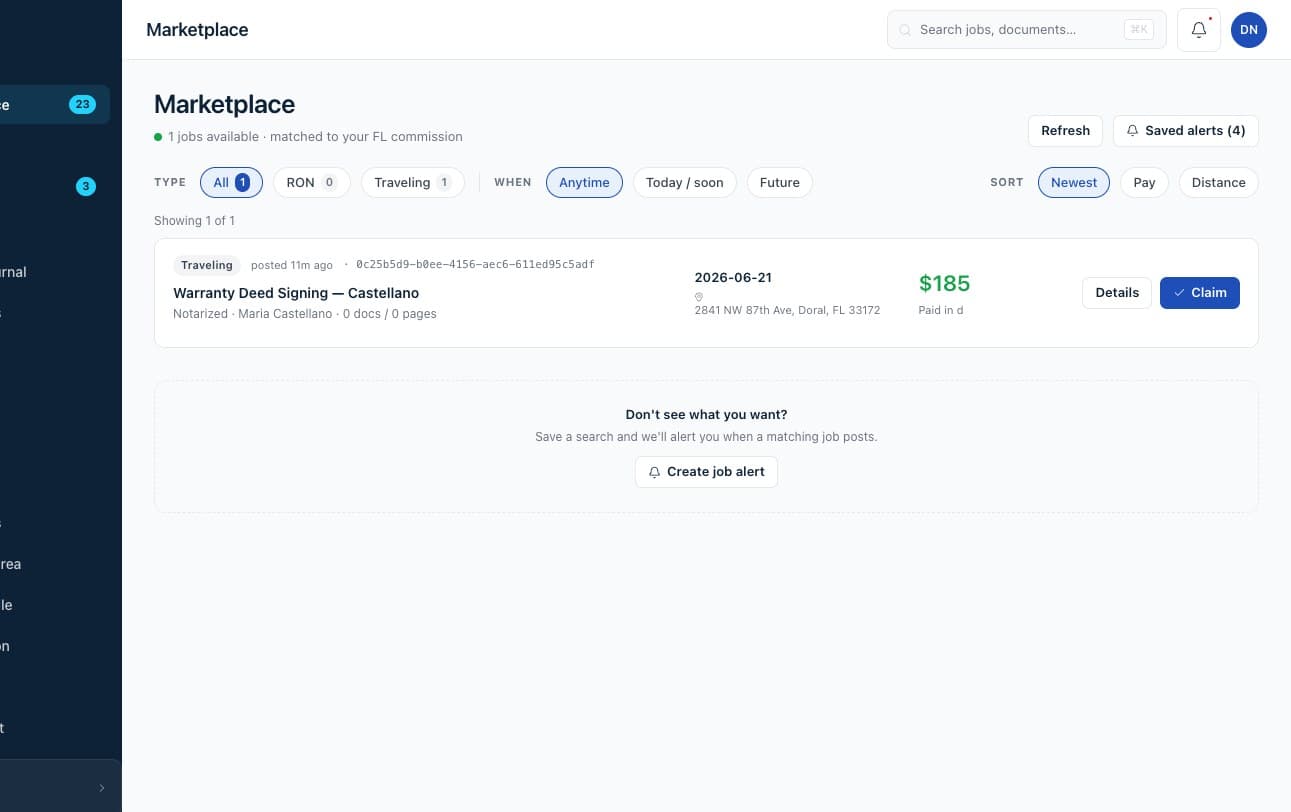
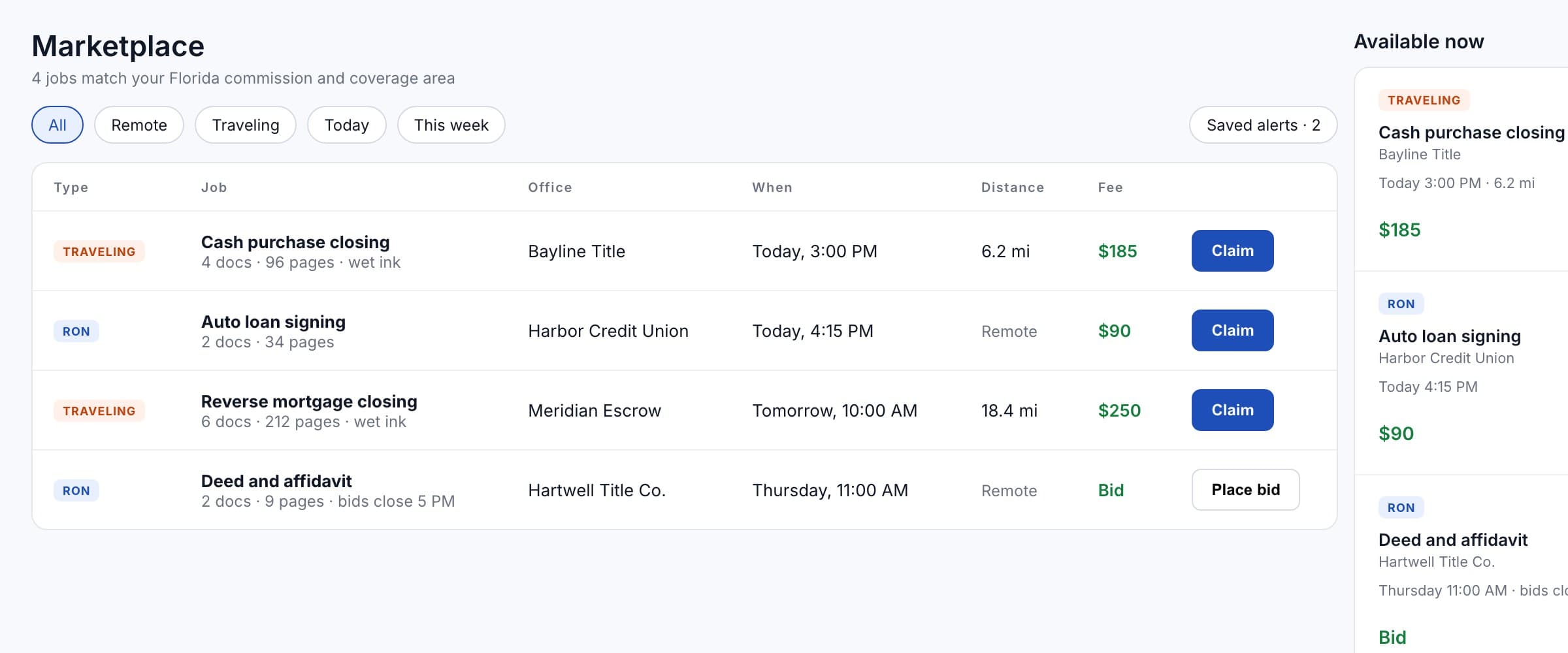
The marketplace: a traveling job matched to a Florida commission, with the fee and a claim button.

Sample data.

The fee is on the job

Every marketplace job shows what it pays, and traveling jobs show the distance, before you claim or bid.

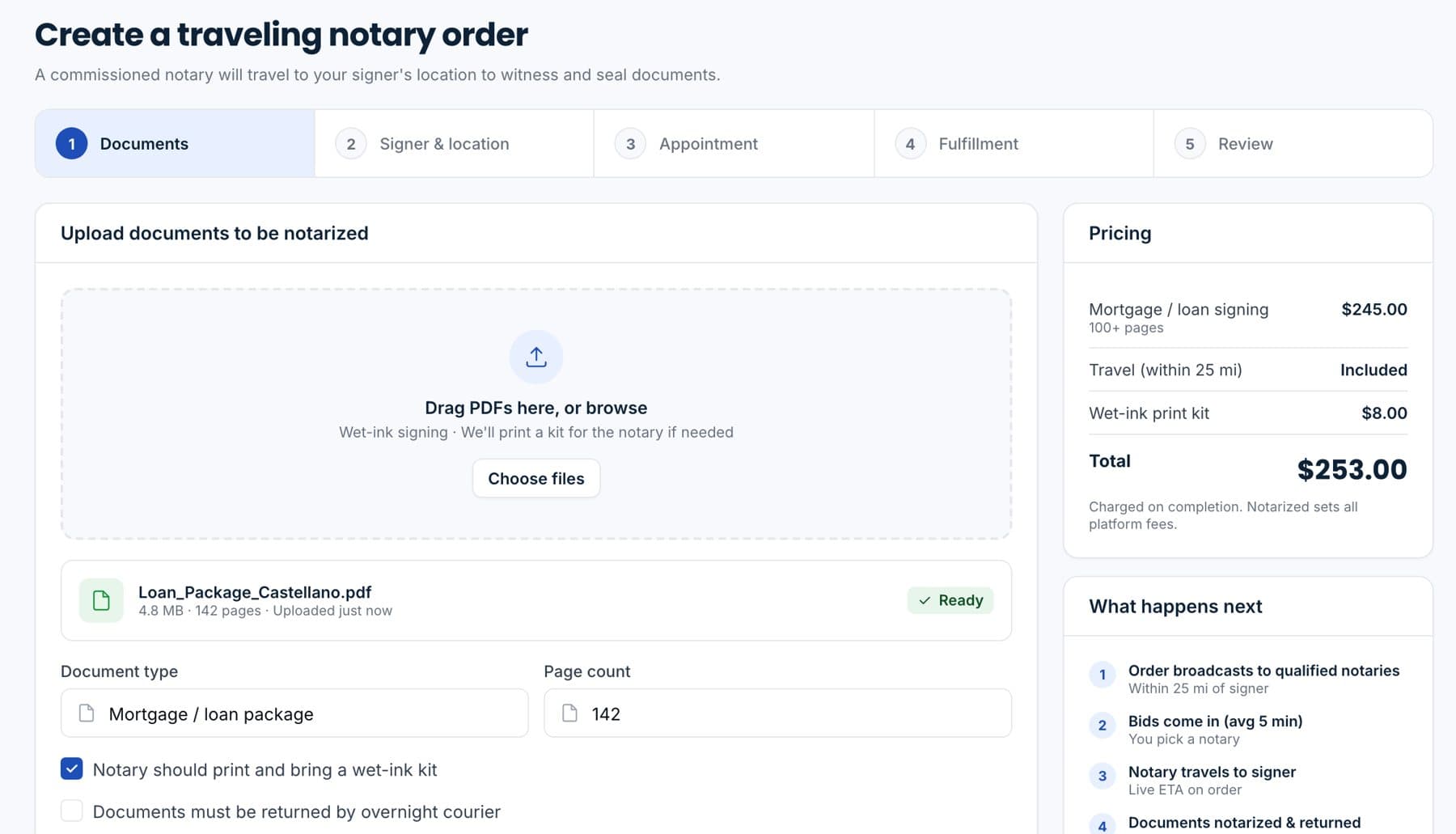
An office creating a traveling notary order, with the fee and travel shown before it confirms.

Sample data.

The office pays at checkout

The ordering office sees the fee, travel and any printing on the order and pays when it confirms. You are not collecting anything at the table.
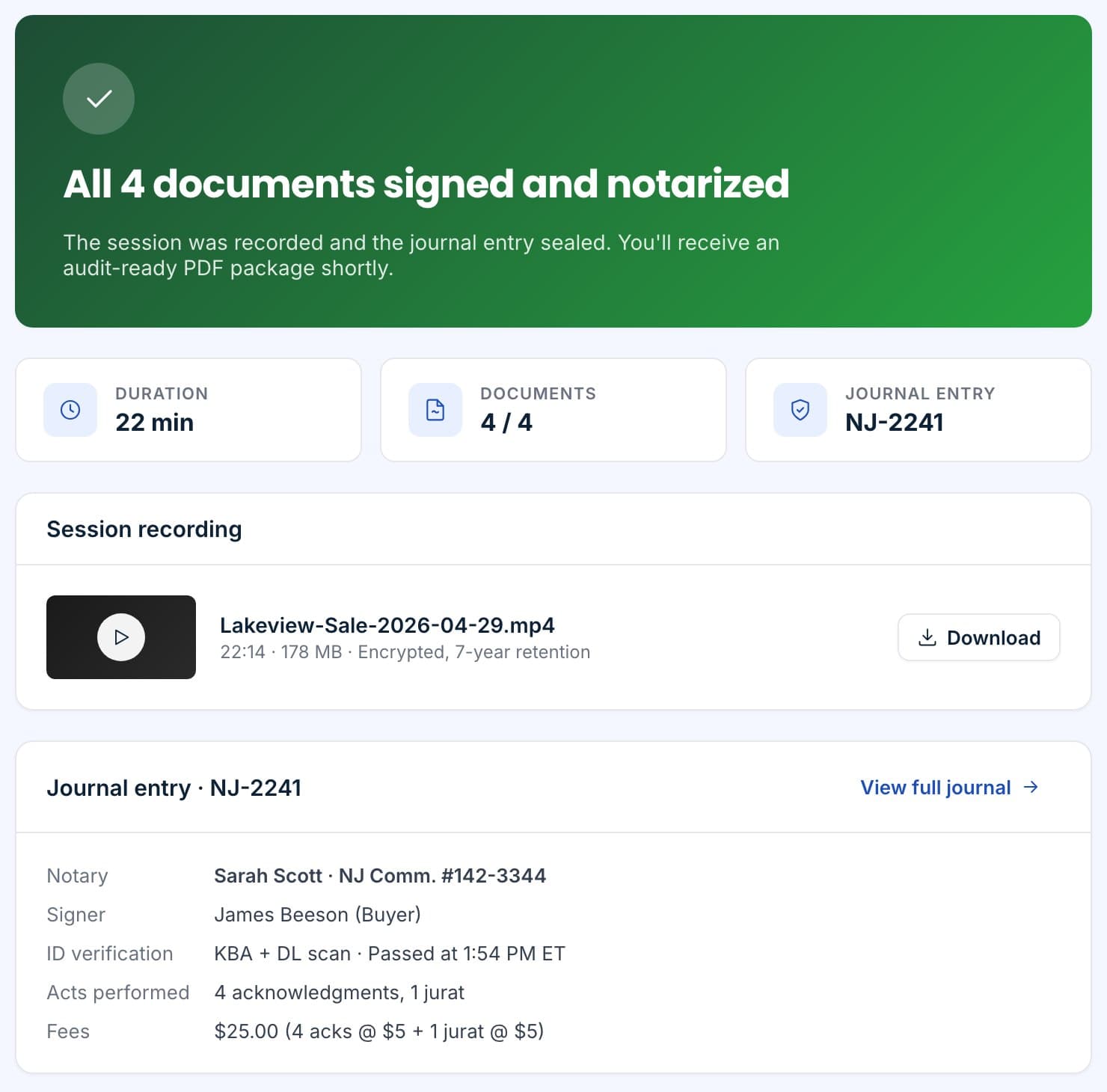
Session complete: recording, journal entry and the hand-off to recording.

Sample data.

Complete the job

Seal the session or mark the visit complete. The journal entry writes and the packet returns to the office.
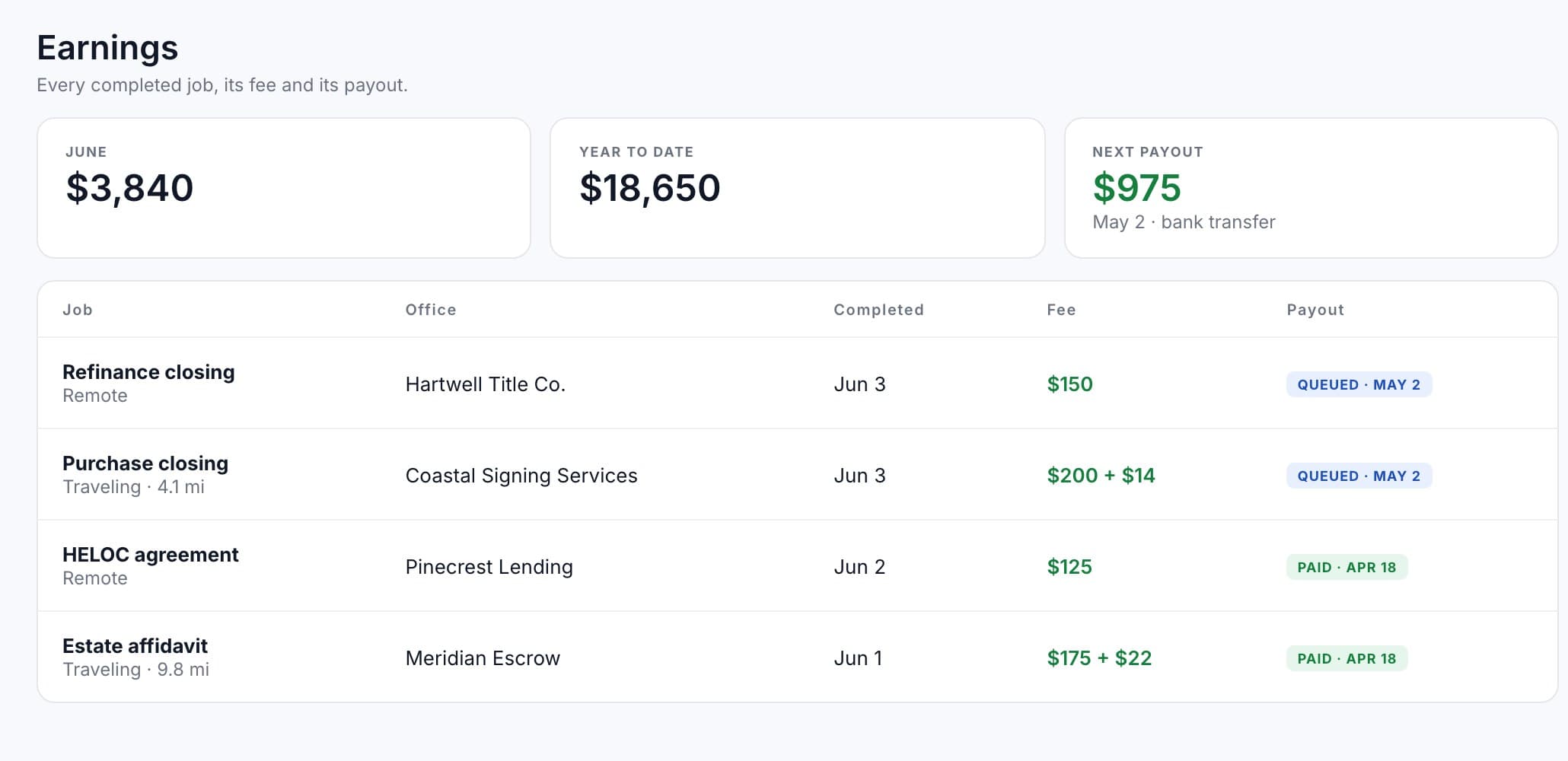
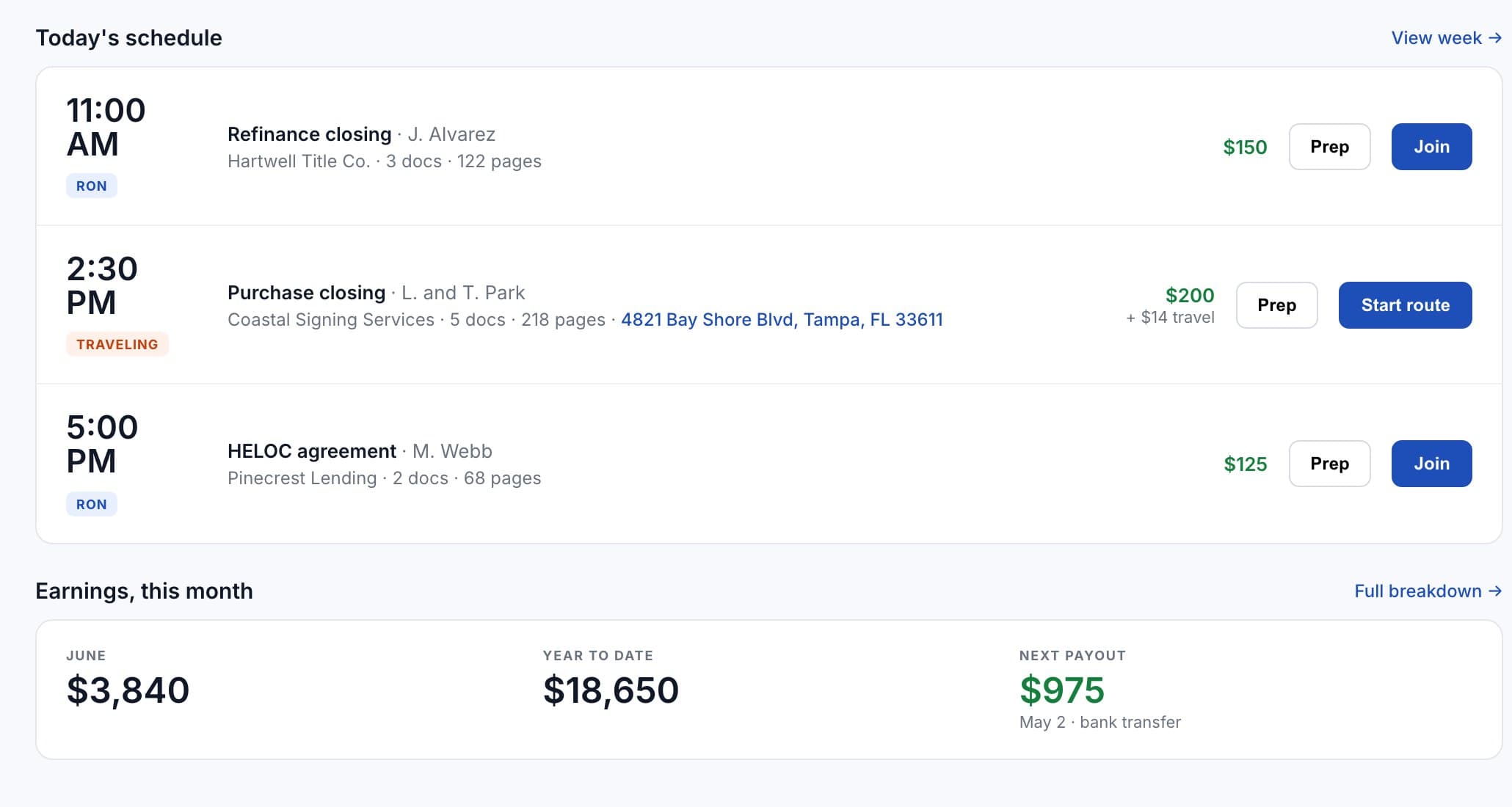
The earnings screen: this month, year to date, the next payout, and each completed job with its fee and payout status.

Sample data.

Payout to your bank

Completed jobs pay out to the bank account you connected when you joined. Earnings and the next payout are on your Today screen.

No invoices, no chasing.

The office already paid. Your part is to do the job well and mark it done.

Earnings on your account.

Every job, fee and payout on one screen, with the tax details you need at year end.
  • Per jobEach completed session or visit is a line with its fee and payout status.
  • Bank accountConnected through Stripe when you join; change it from your account at any time.
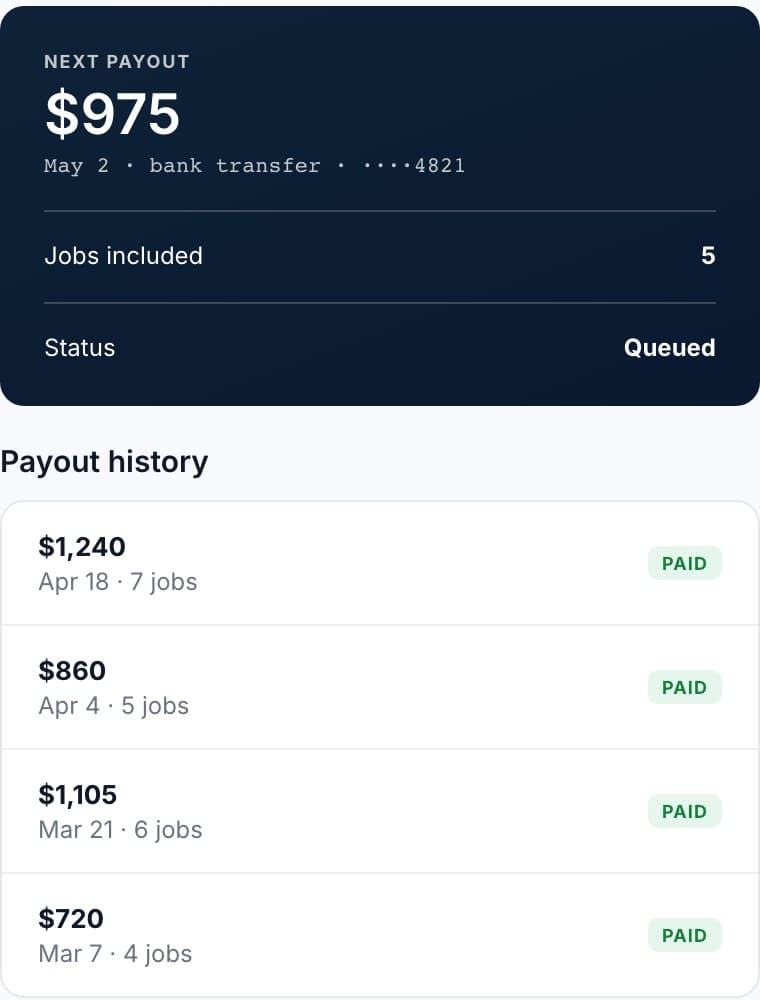
  • Payout statusPending until the job is complete, then queued and paid.
  • Tax detailsEarnings and tax information on your account, in one place.
The Today screen: the day's jobs with fees, this month's earnings and the next payout.

Sample data.

Free to join. Plans if you want more.

Jobs pay per completed session or visit on every plan.
FreeBrowse the marketplace and apply for jobs in your area.
BasicPriority matching and notifications when new jobs post.
ProScheduling and earnings tools for full-time notaries.
EnterpriseFor high-volume notary businesses.
See plans and prices
The next payout with the jobs it covers, and the payout history.

Sample data.

Questions we get on the first call.

When do I get paid?
After the job is marked complete, the fee is queued for payout to your connected bank account. Your Today screen shows the next payout and when it arrives.
Who sets the fee?
For first-come jobs the office sets it and it is on the card. For bid jobs you offer a fee and the office picks. Roster dispatch uses the fee the office and you agreed.
What about travel?
Traveling jobs show the distance, and travel is itemized on the office's order alongside the fee.
Do I need a paid plan to get paid?
No. Payouts work the same on every plan, including Free. Paid plans add priority matching and tools.

Get paid for the job, not for the paperwork.

Connect a bank account when you join and every completed job pays out to it.
Sample data.