Notarized
A hand pressing an embosser onto a document.

From the sealed packet to the county record.

Queue a sealed instrument for the recorder, follow it to recorded, and get the book and page back on the same file. eRecording is in early access, opening county by county with our first customers.

How a submission runs.

From the sealed document to the recorded instrument. Sample data throughout.

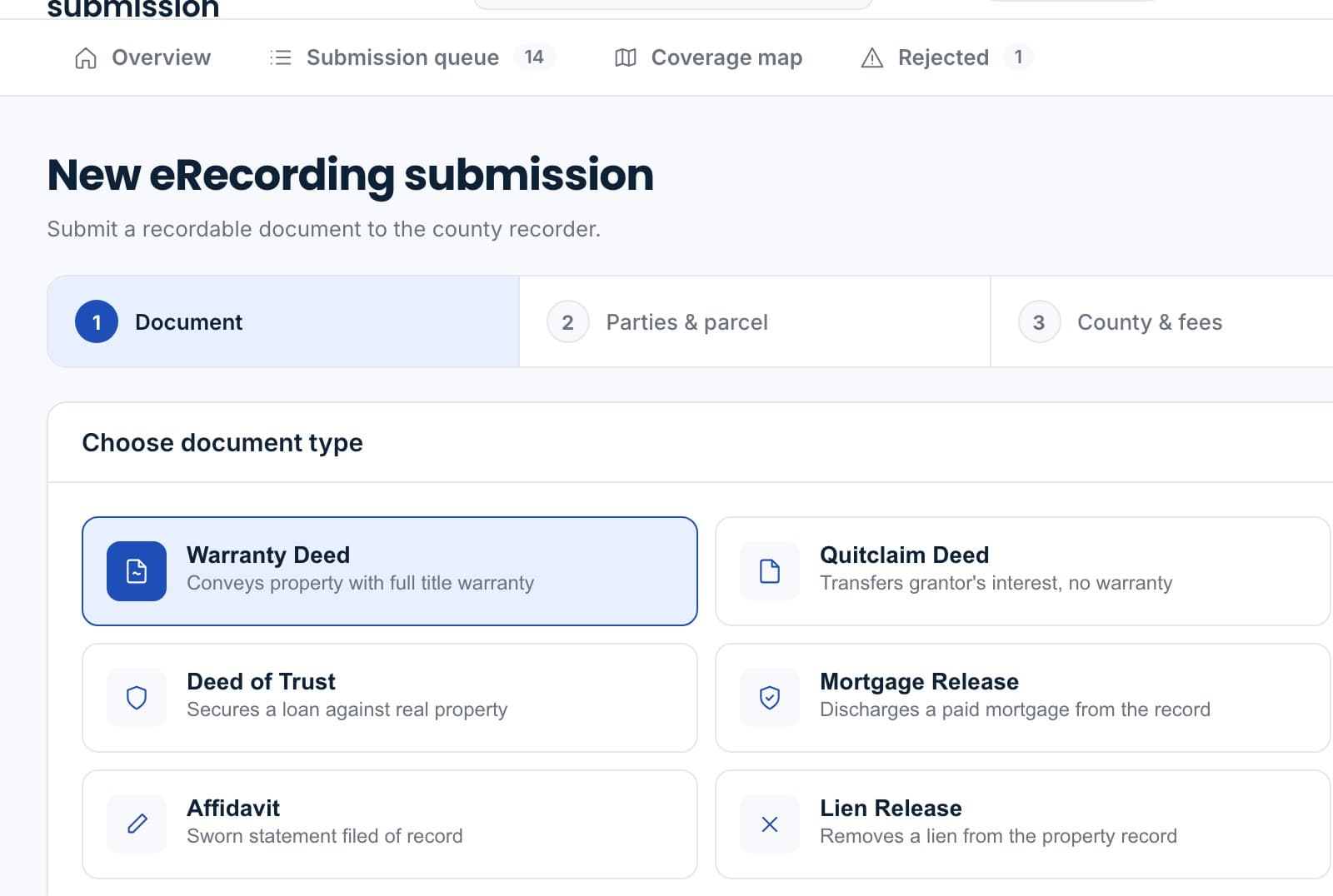
A new eRecording submission: document type, the county and fees, and the pre-flight check.

Sample data.

Queue the instrument

Pick the sealed document on the file, confirm the county and the recording fee, and submit. Formatting, required fields and fees are checked before anything leaves.

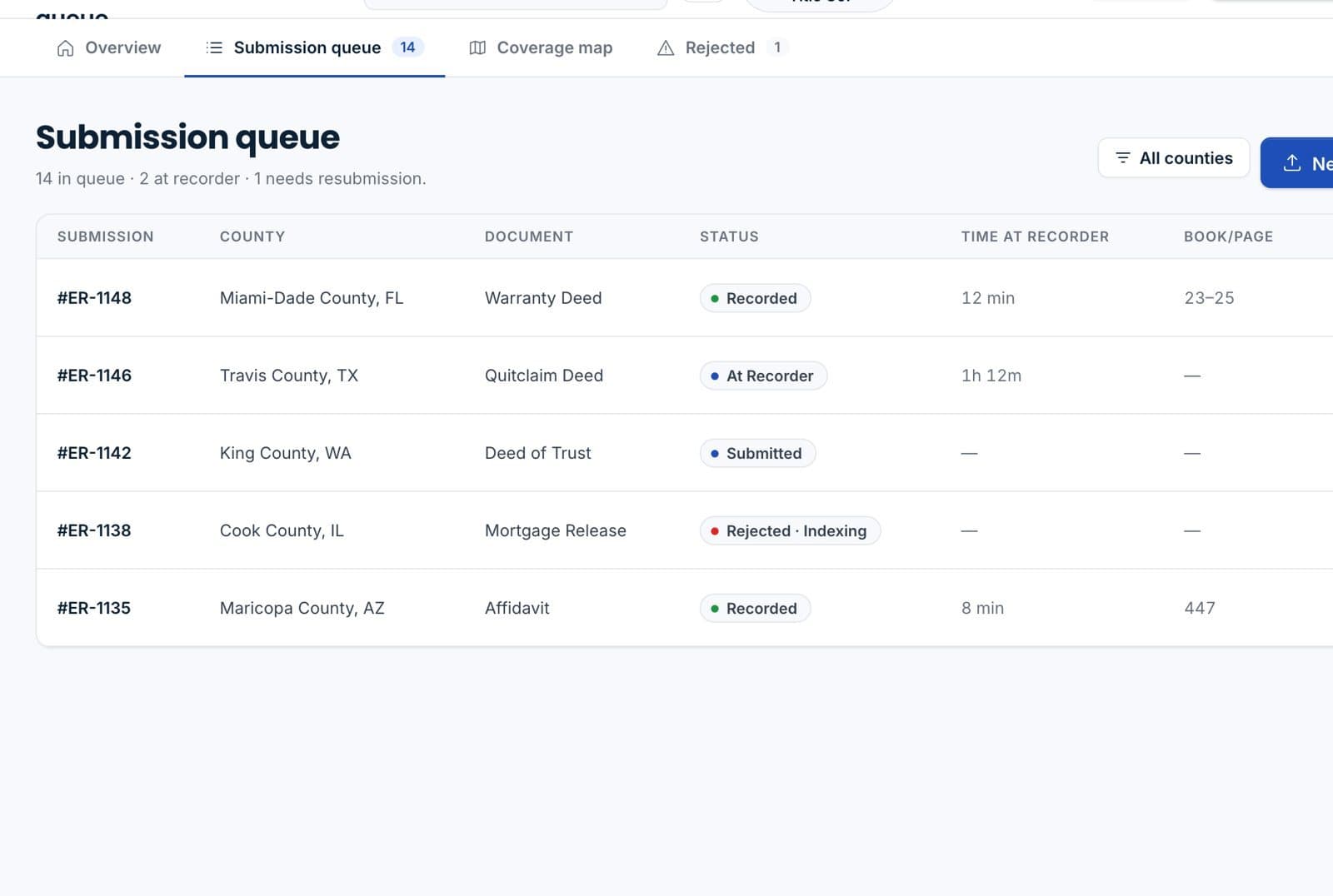
The submission queue with each instrument's county, document and status.

Sample data.

Follow it to the recorder

Submitted, at the recorder, recorded or rejected, with the recorder's timestamp on each.
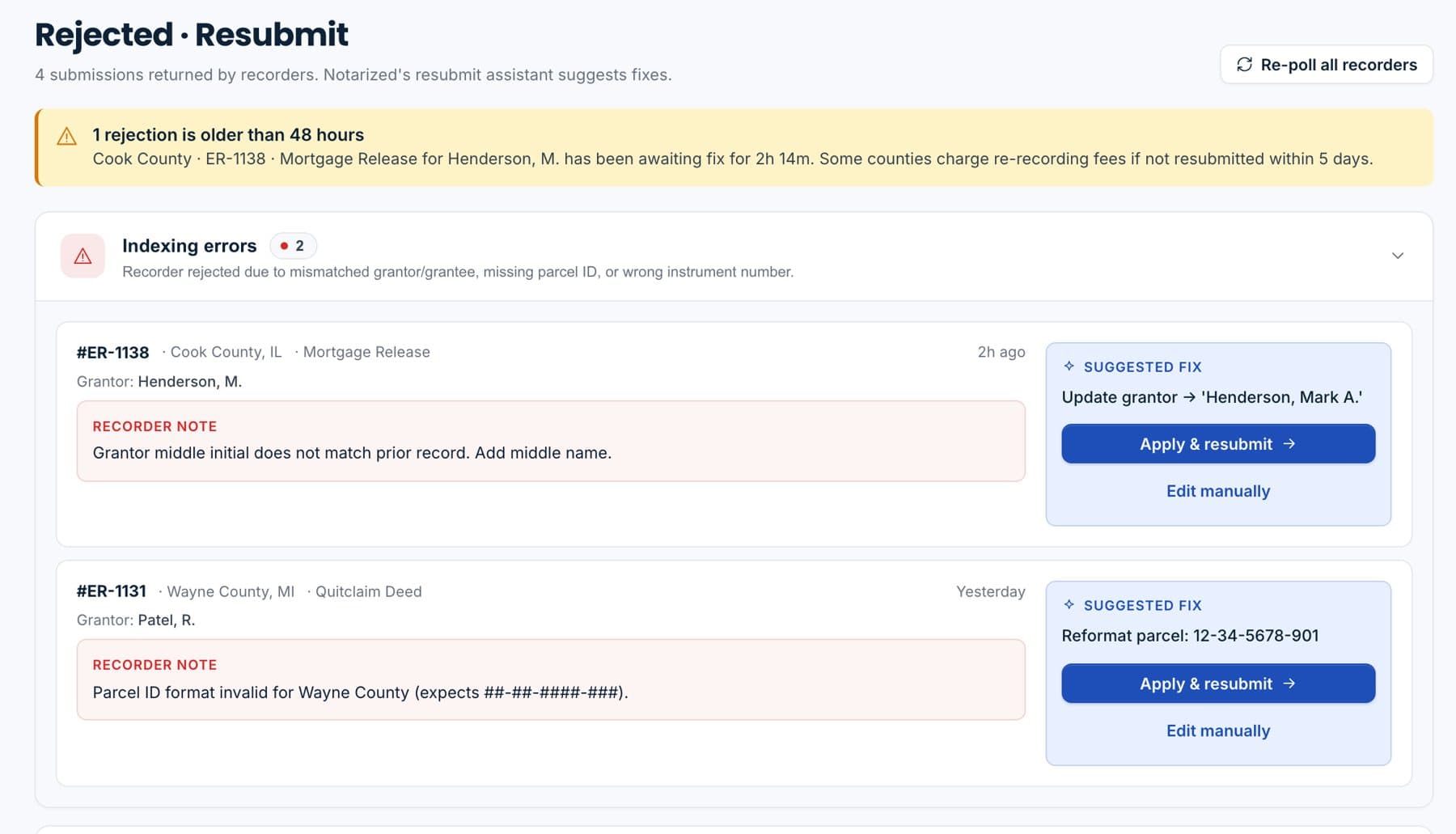
A rejected submission with the recorder's reason and a suggested fix to apply and resubmit.

Sample data.

Fix a rejection in place

The recorder's reason appears on the submission with a suggested fix. Correct it and resubmit from the same screen.
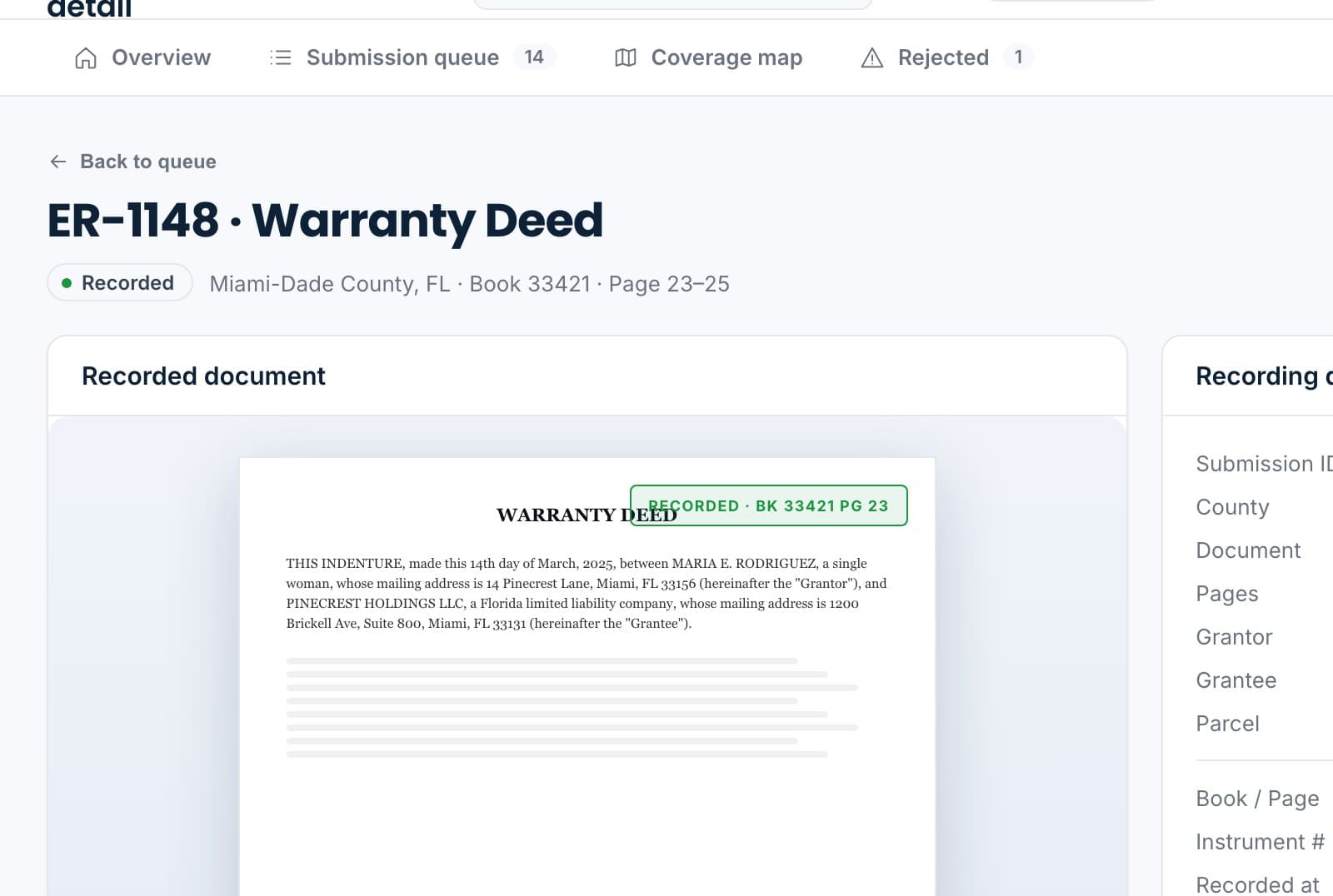
A recorded warranty deed: the stamped copy, recording details with book and page, and the timeline.

Sample data.

Book and page on the file

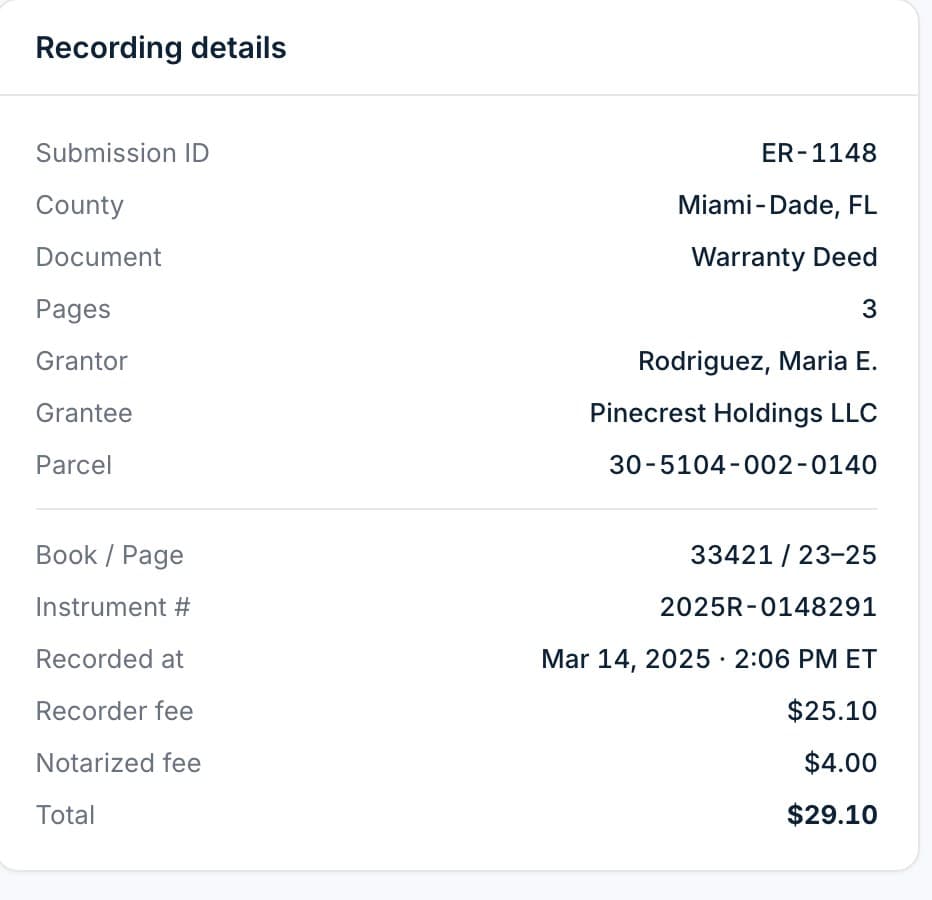
The instrument number, book and page come back to the transaction with the recorder's timestamp and the recorded copy.
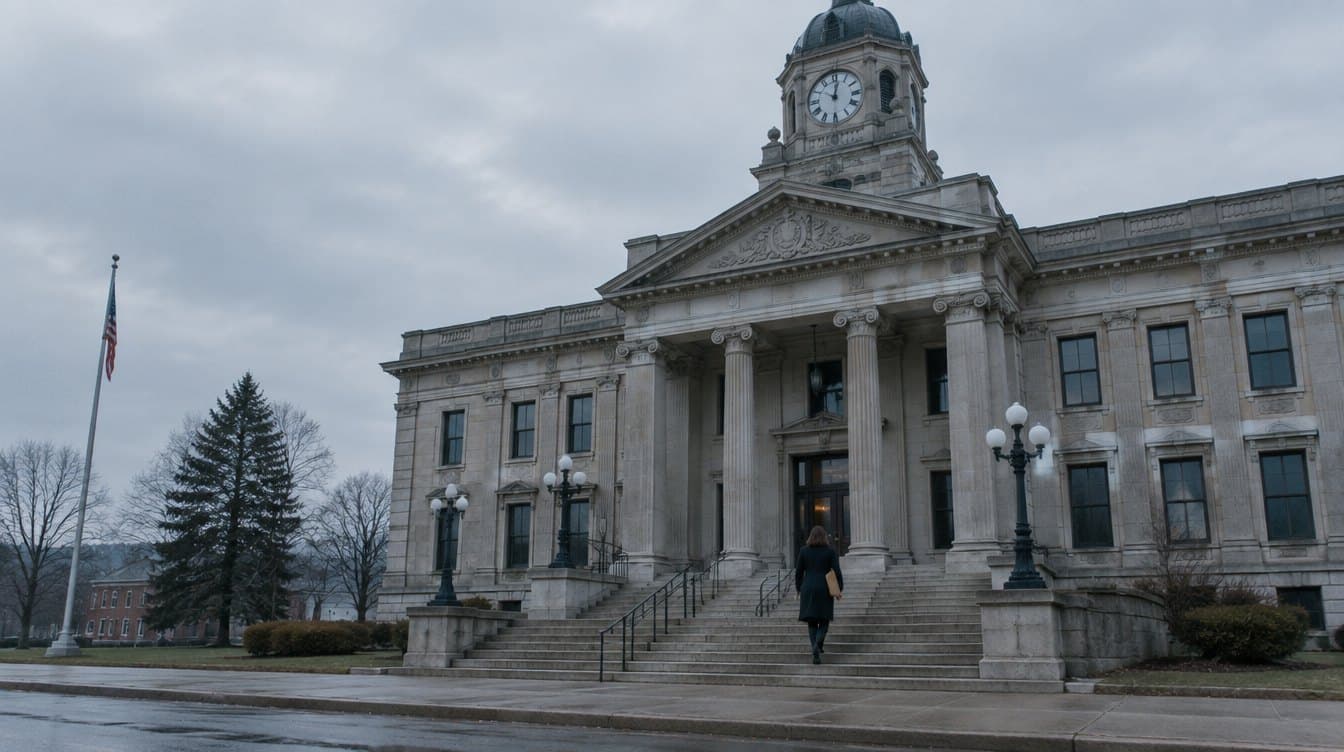
Nothing waiting on a courier.

The sealed packet is already on the file. Recording it should be the next click, not a trip to the courthouse.

Where it works today.

eRecording is in early access. We are enabling counties with our first customers and publishing coverage as it opens, so you will always see which recorders are live before you queue an instrument.

  • CoverageThe queue shows which recorders are live before you submit; we publish counties as they open.
  • RejectionsThe recorder's reason on the submission, with a suggested fix and resubmit.
  • FeesRecording fees computed from the county's schedule and shown before you submit.
  • ReceiptsInstrument number, book and page, and the recorder's timestamp on the file.
The submission queue: county, document, status, and book and page for recorded instruments.

Sample data.

Ask to be in the first counties.

Early-access customers pick where we open next.
Your counties firstTell us where you record most and we prioritize those recorders.
Same fileSealed packet in, recorded instrument back, on the transaction.
No re-keyingParties, property and document details come from the file.
Honest statusIf a county is not live yet, the queue says so before you submit.
Ask about early access
Recording details for a recorded instrument: county, grantor and grantee, parcel, book and page, instrument number, recorded at, and fees.

Sample data.

Questions we get on the first call.

Which counties are supported?
eRecording is in early access. Coverage is opening county by county with our first customers, and the queue shows which recorders are live before you submit. Ask us about the counties you record in most.
What happens when a submission is rejected?
The recorder's reason appears on the submission with a suggested fix. Correct the instrument and resubmit from the same screen.
Does the document need to be sealed first?
Yes. Instruments are queued from the sealed, notarized copy on the file, so what reaches the recorder is the tamper-evident version.
How is it priced?
Recording fees are computed from the county schedule and shown before you submit, plus a per-submission platform fee. See pricing or ask during the walkthrough.

Record from the file.

Tell us your counties and we will show you where eRecording is live and what it looks like on your transactions.

Sample data.