Notarized
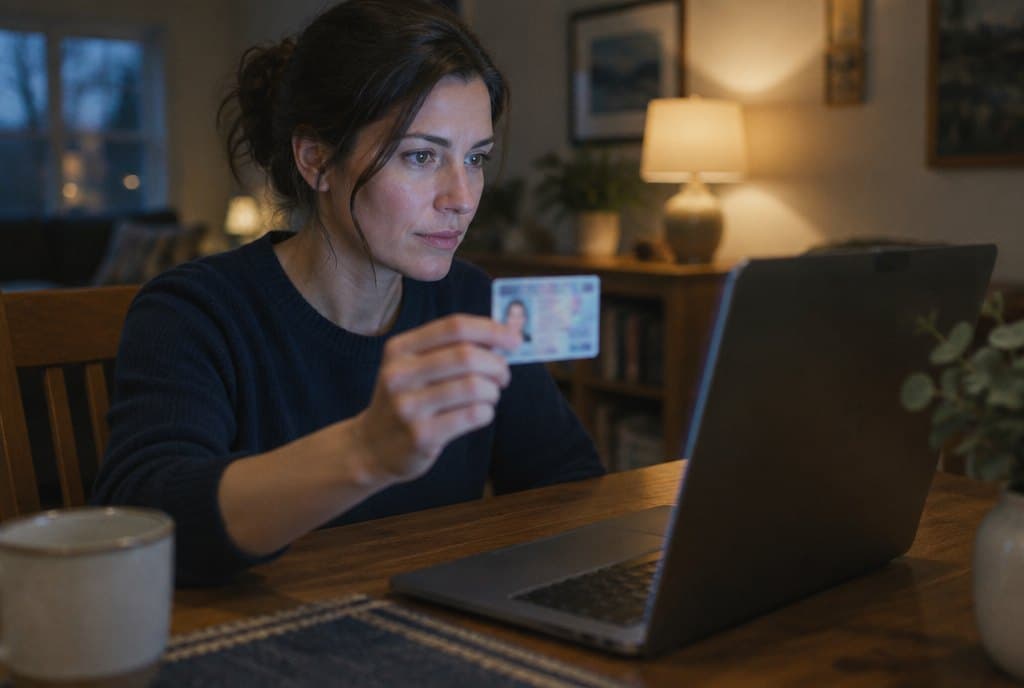
A signer at her kitchen table holding her driver's license up to the laptop camera.

Remote online notarization, with the record built in.

A commissioned notary, a verified signer, a recorded session and a sealed document. Scheduled from the transaction, delivered back to it.

What happens in a session.

Four screens, in order. Sample data throughout.

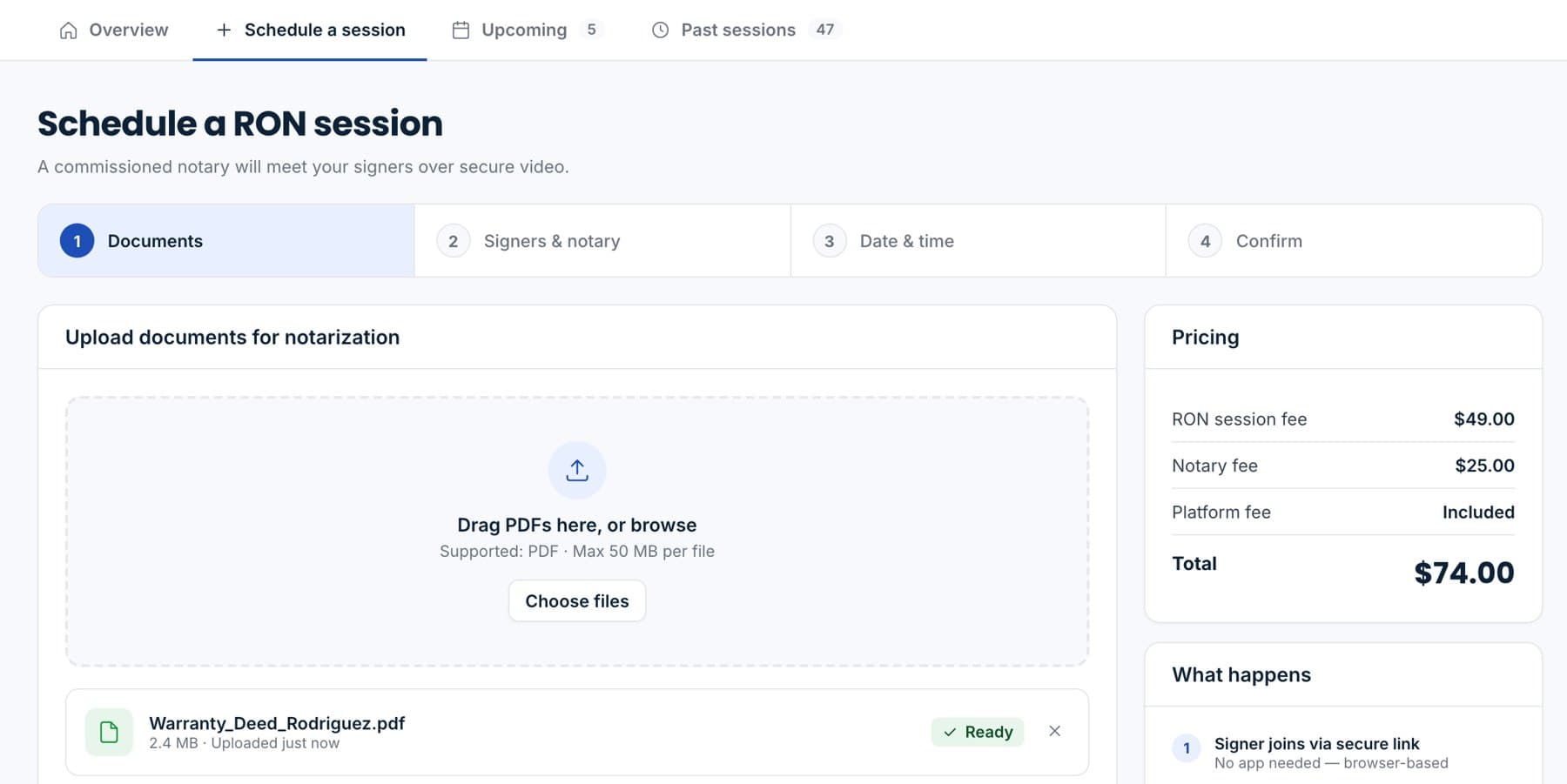
Scheduling a session: document upload and pricing.

Sample data.

Schedule and upload

Pick a time, attach the packet, invite the signers and any witnesses. The price shows before you confirm.
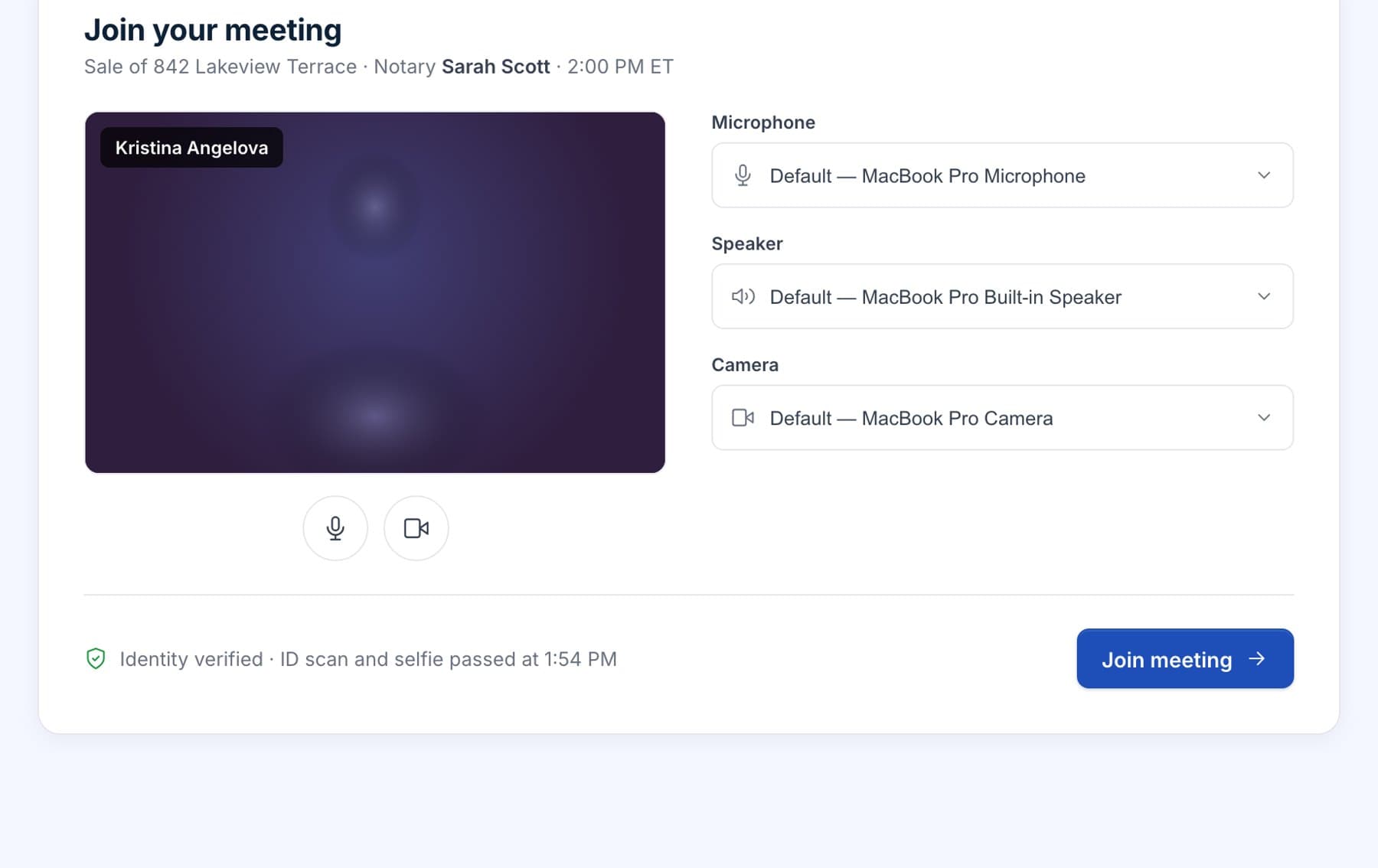
The pre-call lobby with identity verified and device checks.

Sample data.

Verify identity in the lobby

The signer scans a government ID and takes a selfie. The match runs before the room opens, with camera and microphone checks on the same screen.
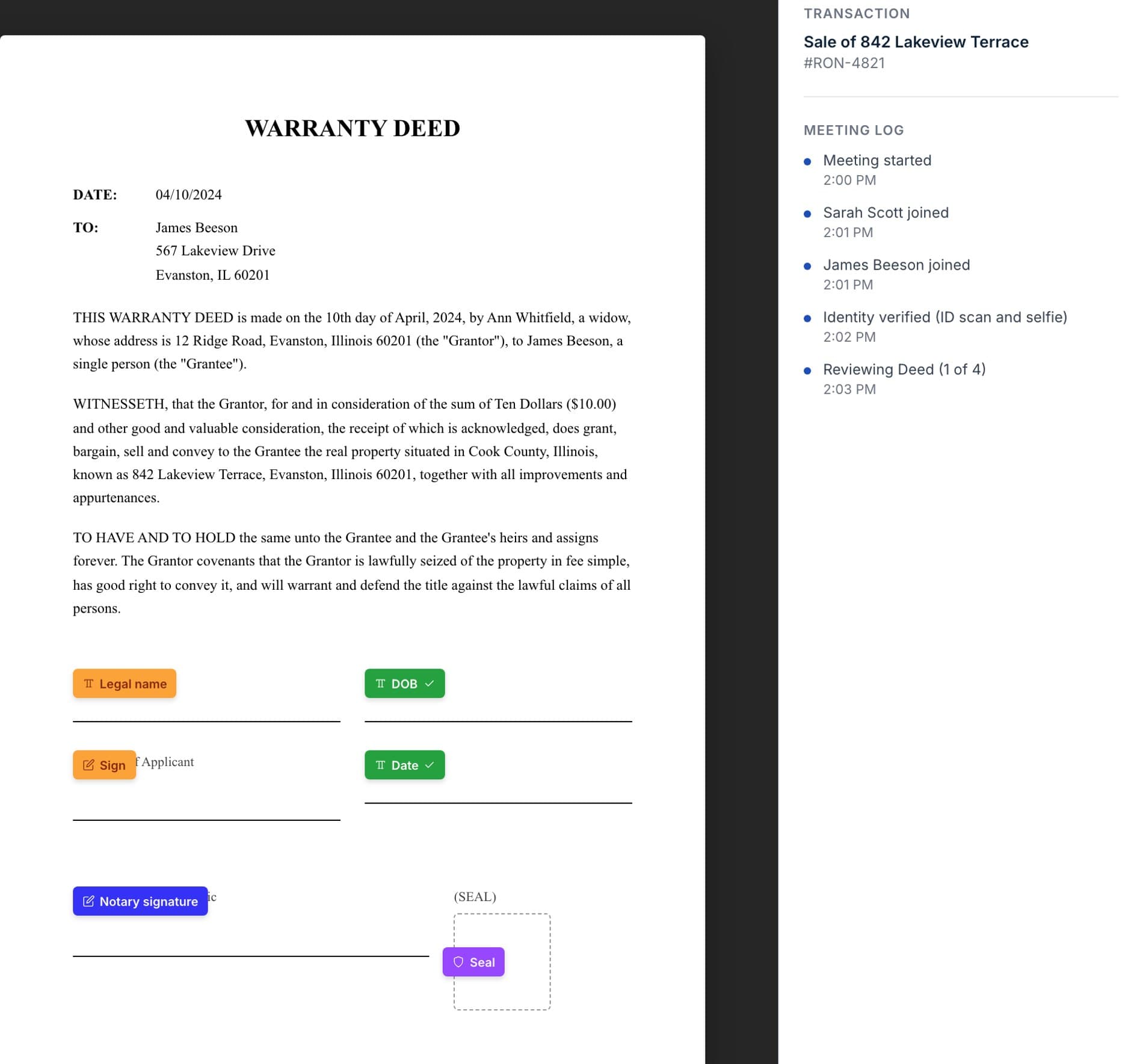
The live session mid-signing with tagged fields and the meeting log.

Sample data.

Sign and notarize on video

The notary tags every field, watches every signature, and the session is recorded from the first hello to the last seal.
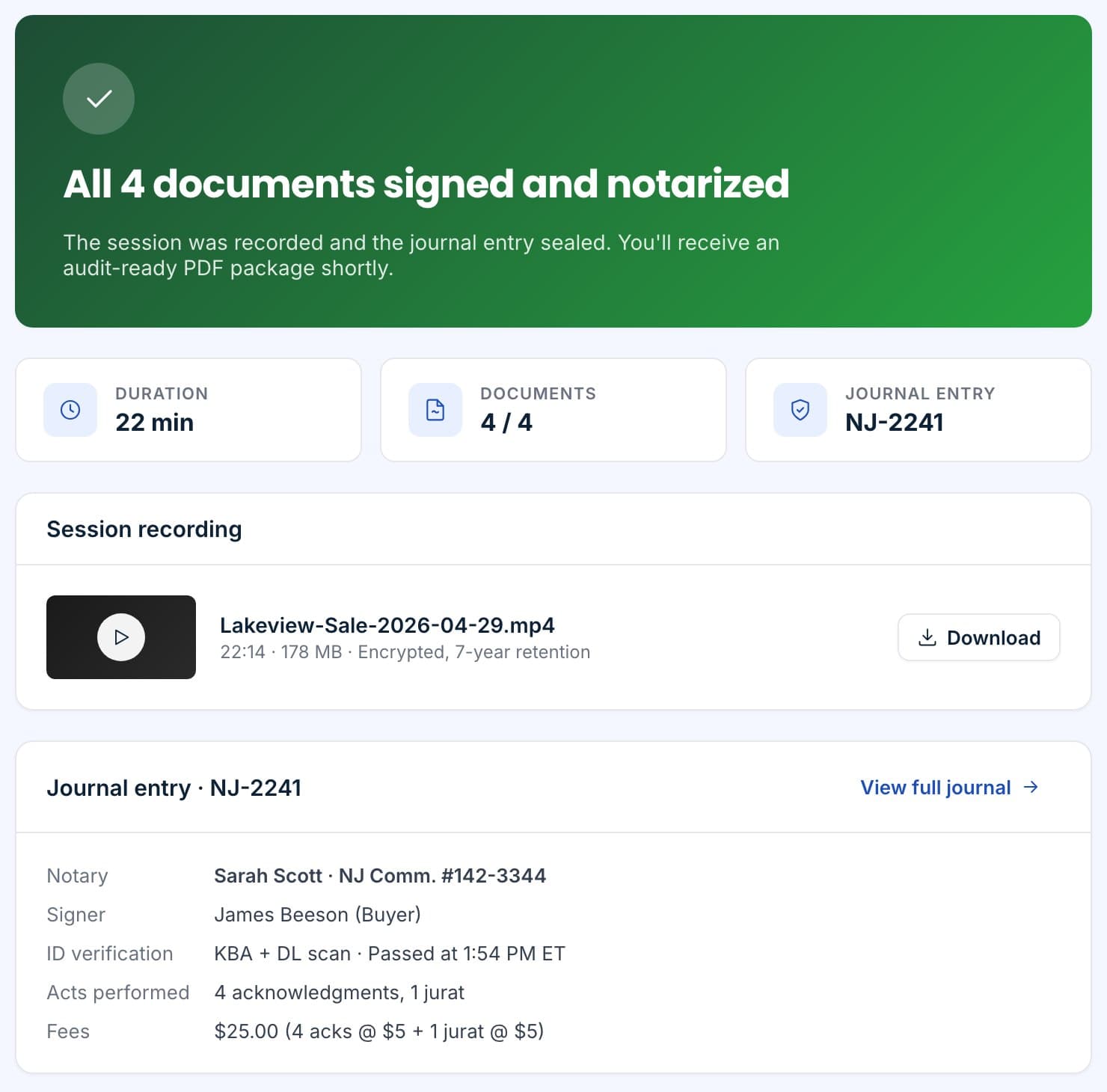
Session complete: recording, journal entry and the hand-off to recording.

Sample data.

Seal and hand off

Each page is stamped, the file is hashed and timestamped, the journal entry is written, and the packet is ready for recording.

What your signer sees.

A link, a lobby that checks their camera and ID, and a notary who walks them through each page. No account, nothing to install, and a copy of everything in their inbox when it ends.

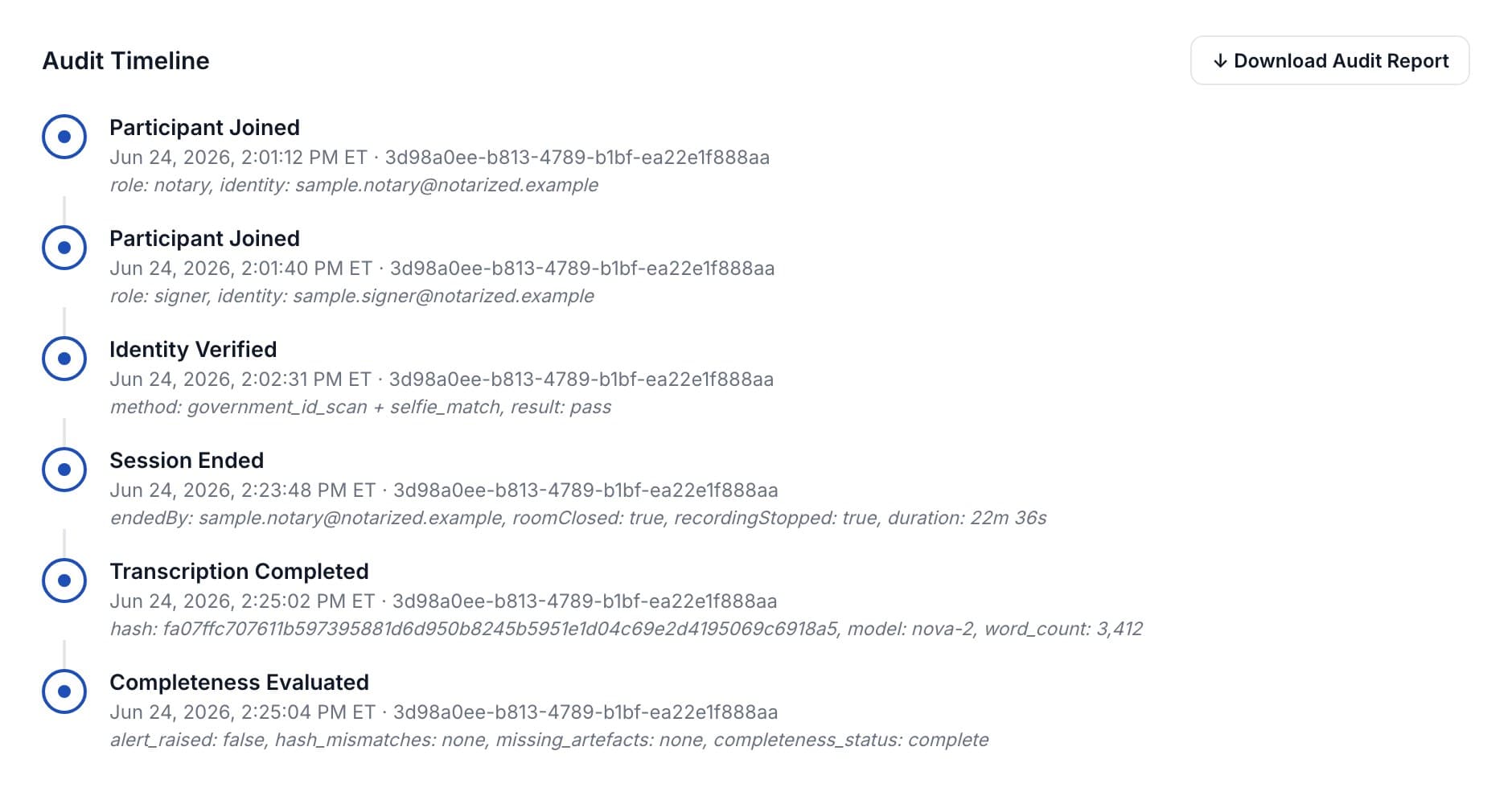
Every session leaves a timeline.

Who joined, when, from where. When identity passed. When the recording started and stopped. When the transcript was written and hashed. The summary is the audit; nothing has to be reconstructed later.
  • Audio and videoRecorded through the session, encrypted at rest, retained as the state requires.
  • TranscriptSpeaker-separated, hashed and attached to the record.
  • Journal entryWritten automatically at the end of the session, never editable.
  • Completeness checkRuns before the session can be marked sealed.
The audit timeline from a session summary: participant joined, identity verified, session ended, transcription completed with its hash, and the completeness check. Sample data.

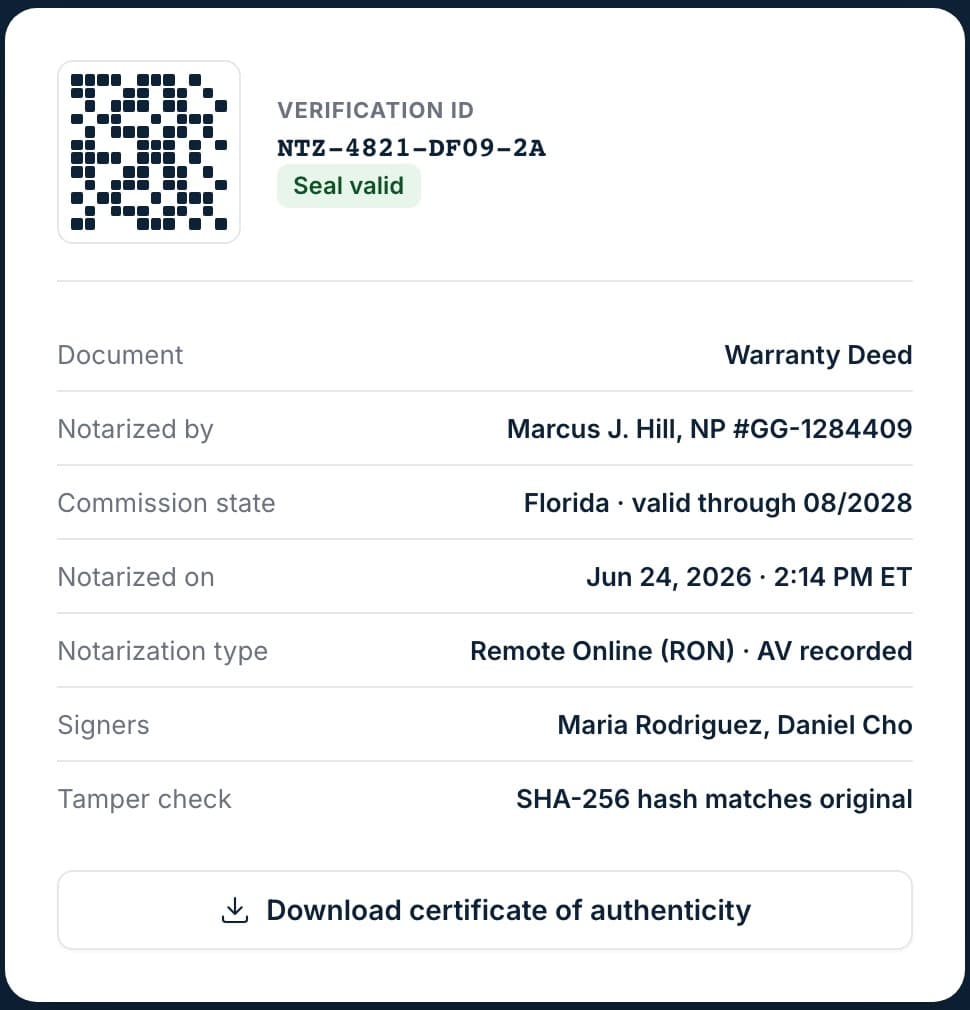
Sealed, and checkable by anyone.

The seal is a chain of checks, not a picture of a stamp.
Stamped pagesEvery page carries the session and document identifiers.
SHA-256Hash of the sealed file, compared on every verification.
Cryptographic sealPlatform seal applied through SSL.com's cloud signing service.
RFC 3161 timestampTrusted time from an independent authority.
PDF/A archiveArchival format with a certificate of completion appended.
Public verificationAnyone with the QR code can open the page without an account.
Verify a document
The public verification card: QR code, verification ID, seal valid, the document, the notary and commission, the timestamp, the signers and a passing SHA-256 tamper check.

Sample data.

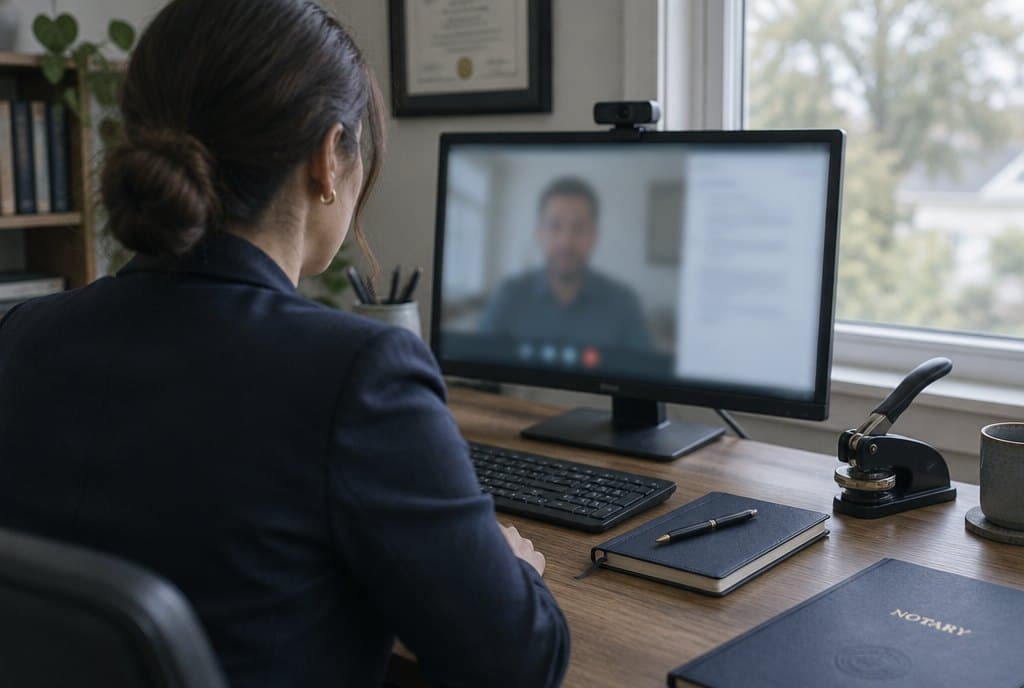
A notary at a home office desk on a video call, a webcam on the monitor, an embosser and journal on the desk.

Commissioned notaries, each state’s rules.

Sessions are performed by notaries commissioned for remote notarization in their state, with their commission and errors-and-omissions coverage on file. Remote online notarization is authorized in 49 states and the District of Columbia; California’s full authority begins in 2030.

Witnesses and attorneys can join a session. Multiple signers can sign the same packet in one sitting.

Questions we get on the first call.

Is a remotely notarized document valid?
Remote online notarization is authorized by statute in 49 states and the District of Columbia, and a document notarized under one state's law is generally recognized in the others. California's full authority begins in 2030. We apply the rules of the state where the notary is commissioned to every session.
What does the signer need?
A computer or phone with a camera and microphone, a current government-issued photo ID, and the link we send. No account and no software install. Witnesses and attorneys can join the same session.
How is identity verified?
The signer scans the front and back of a government ID and takes a selfie. The document is checked for authenticity and the face is matched to the ID before the notary sees the signer. The result is written to the session record.
What do we get back?
The sealed PDF with a certificate of completion, the session recording, the notary's journal entry, the audit timeline, and a public verification page reachable from the QR code on the document.
How long is the recording kept?
Recordings are encrypted and retained for the period the notary's state requires, then moved to locked archival storage. You can download them from the session summary at any time.

Run your next signing on video.

Per-session pricing, no subscription required. We will walk you through a live session with your own documents.

Sample data.