Notarized
Two people at a desk, one pointing to the signature line while the other signs.

Signatures with an audit trail, on the same file.

Build an envelope, place the fields, send it. Signers open a secure link, and every view, consent and signature is written to the record.

How an envelope runs.

From recipients to the signed copy. Sample data throughout.

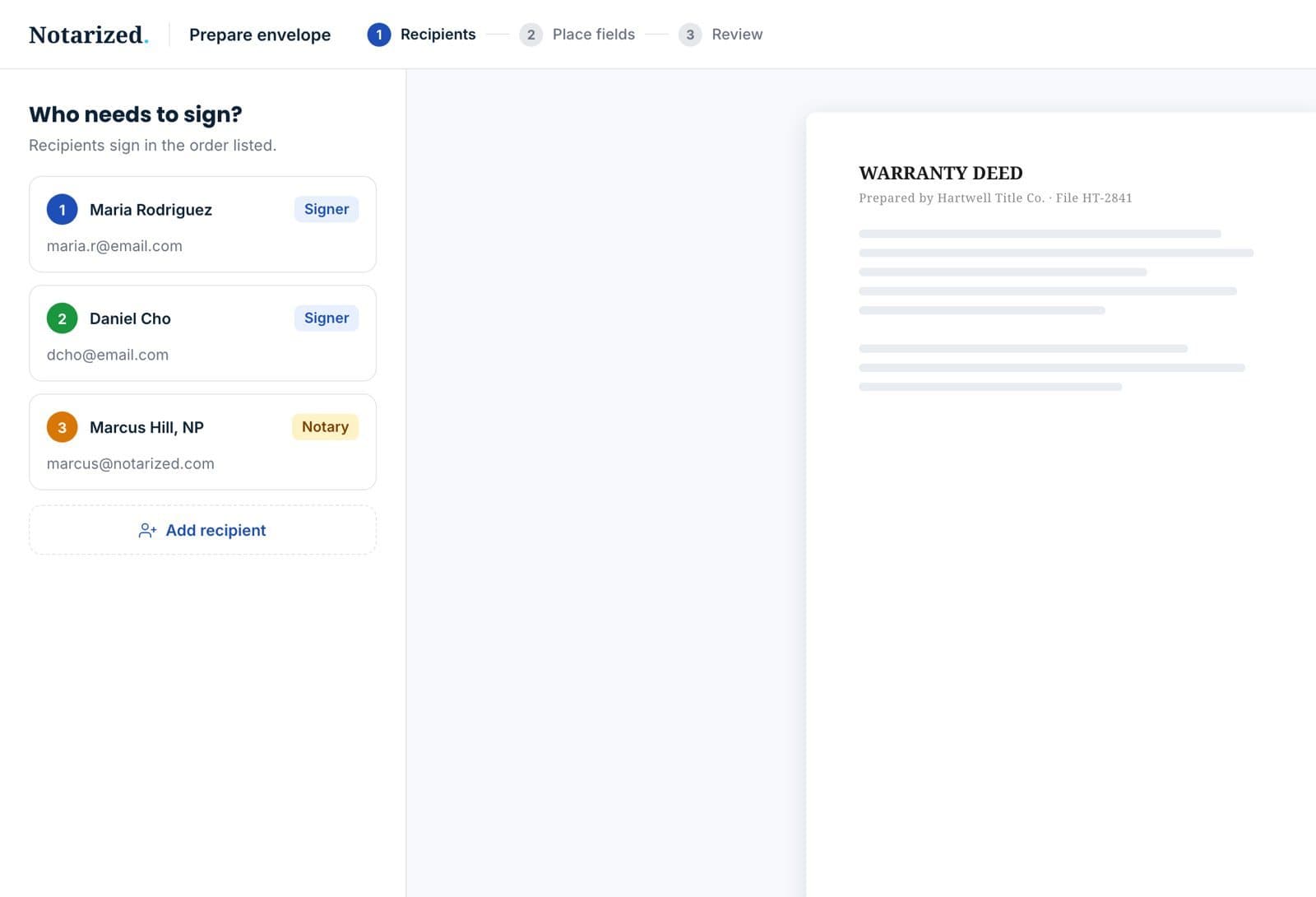
Recipients step of the envelope builder: three signers in signing order.

Sample data.

Add recipients

Signers, and anyone who should get a copy, in the order they should sign.

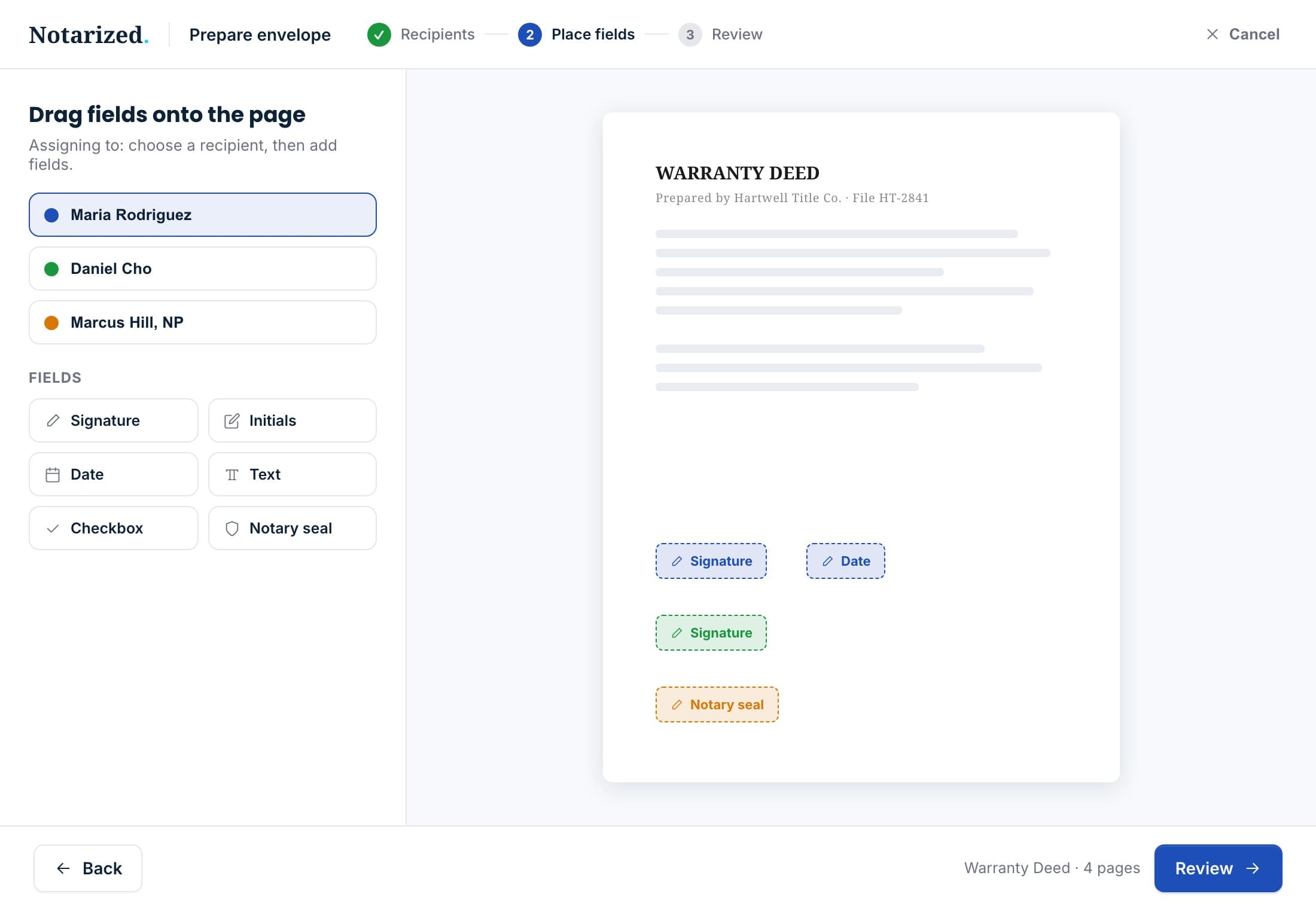
The field editor: signature, date and notary seal fields placed on the deed, assigned to a recipient.

Sample data.

Place the fields

Signature, initials, date and text fields, dropped on the pages or applied from a template.
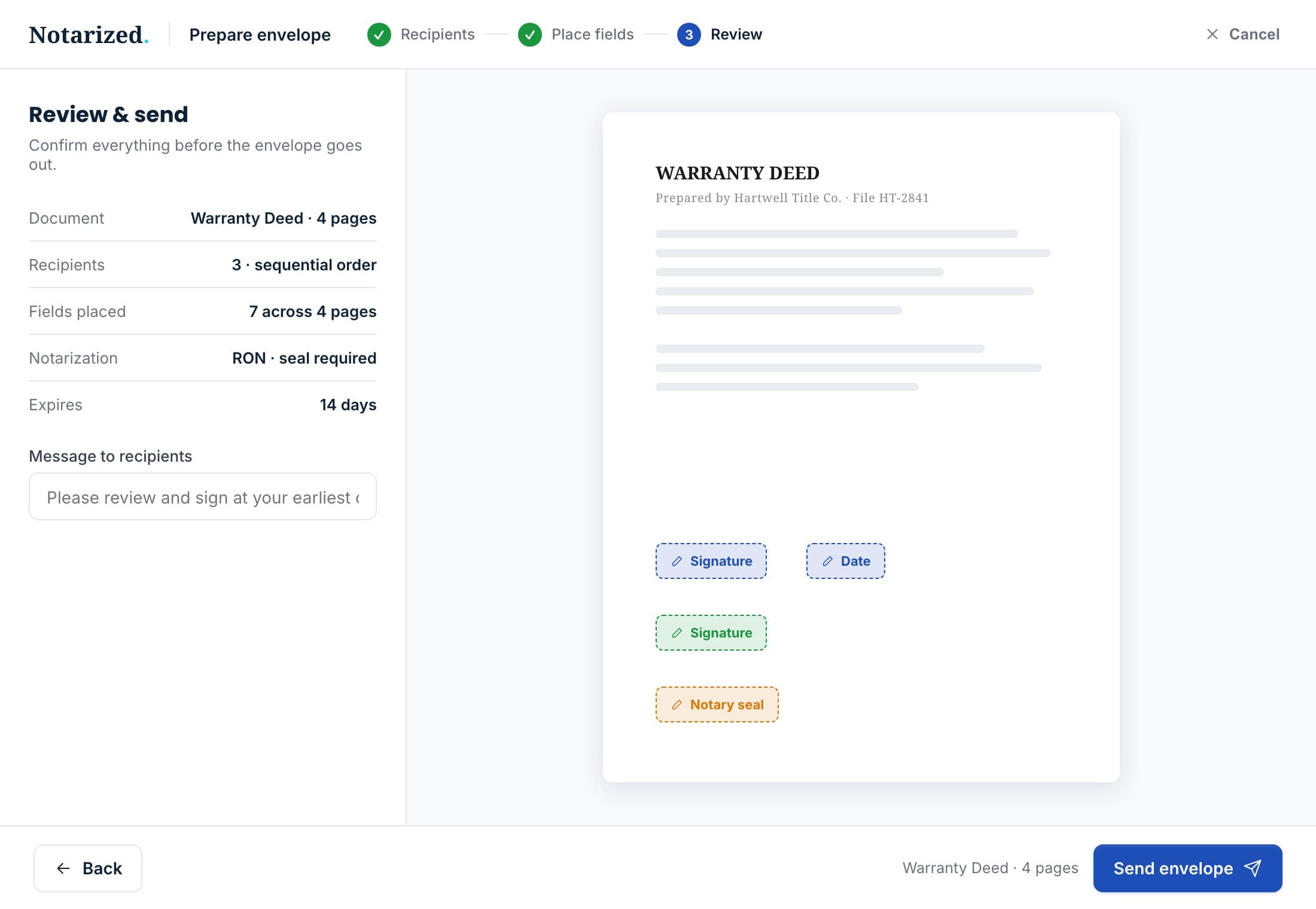
Review and send: document, recipients, fields placed, notarization, expiry and a message to recipients.

Sample data.

Review and send

Check the document, the recipients and the fields, set the expiry, add a note. Reminders, voids and reassignments are one click from the envelope.
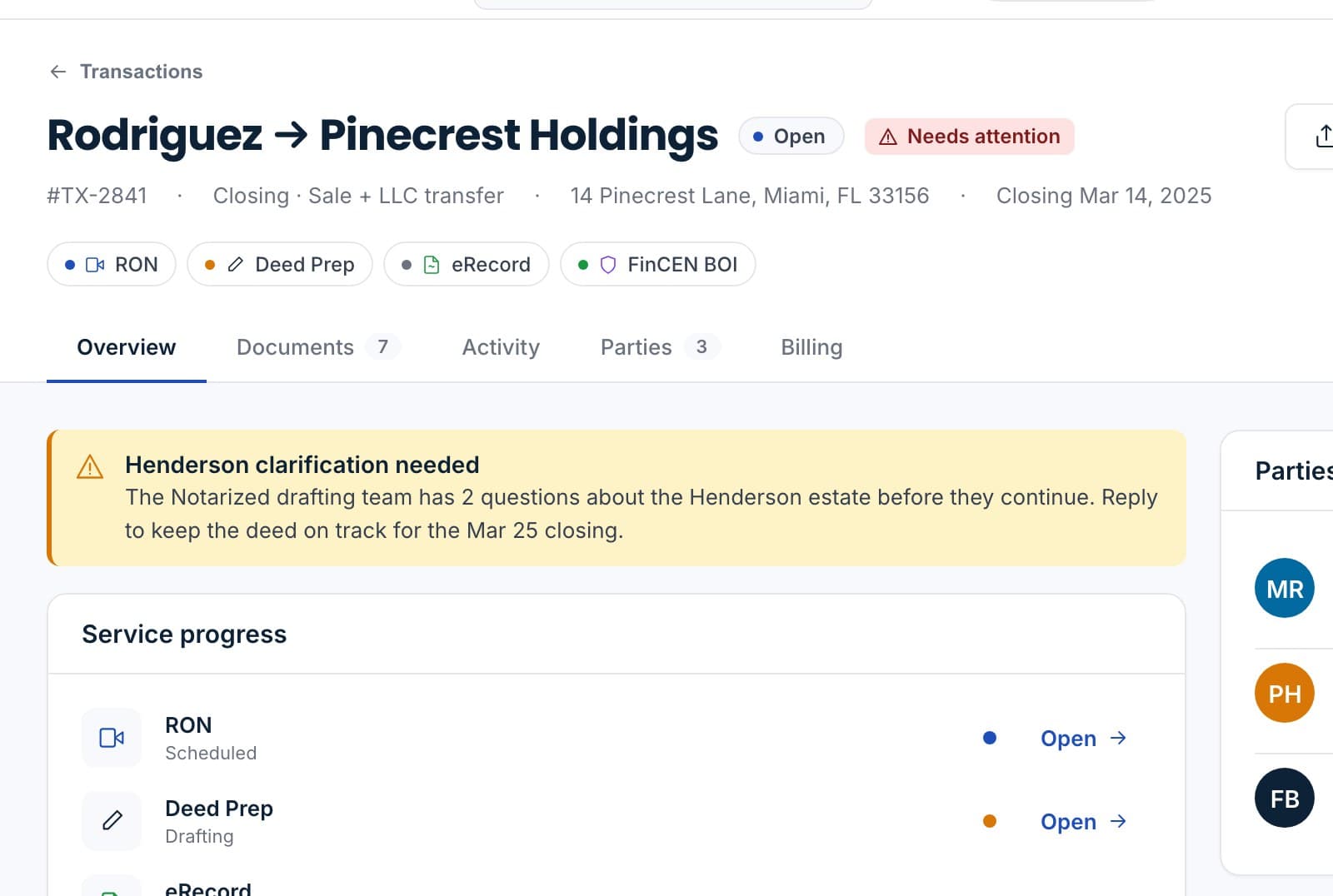
The transaction record with the eSigned settlement statement and the recorded deed attached.

Sample data.

Signed copy returns

The completed document and its audit trail land on the transaction, and can go on to notarization or recording.

Built for the packets your office sends every day.

Templates for the documents you send again and again, bulk send for the ones that go to many parties, and reminders that go out without anyone chasing.

Every signature leaves a record.

Who opened the envelope, when they consented to sign electronically, which fields they completed and from where. The audit trail is part of the completed document, not a separate export.
  • ConsentElectronic-signature consent captured and timestamped for every signer.
  • IdentityA silent registry check on the signer's details before signing, no quiz.
  • Audit trailViews, consents, signatures and completions, each with time and origin.
  • APICreate envelopes and read their status from your own systems with an API key.
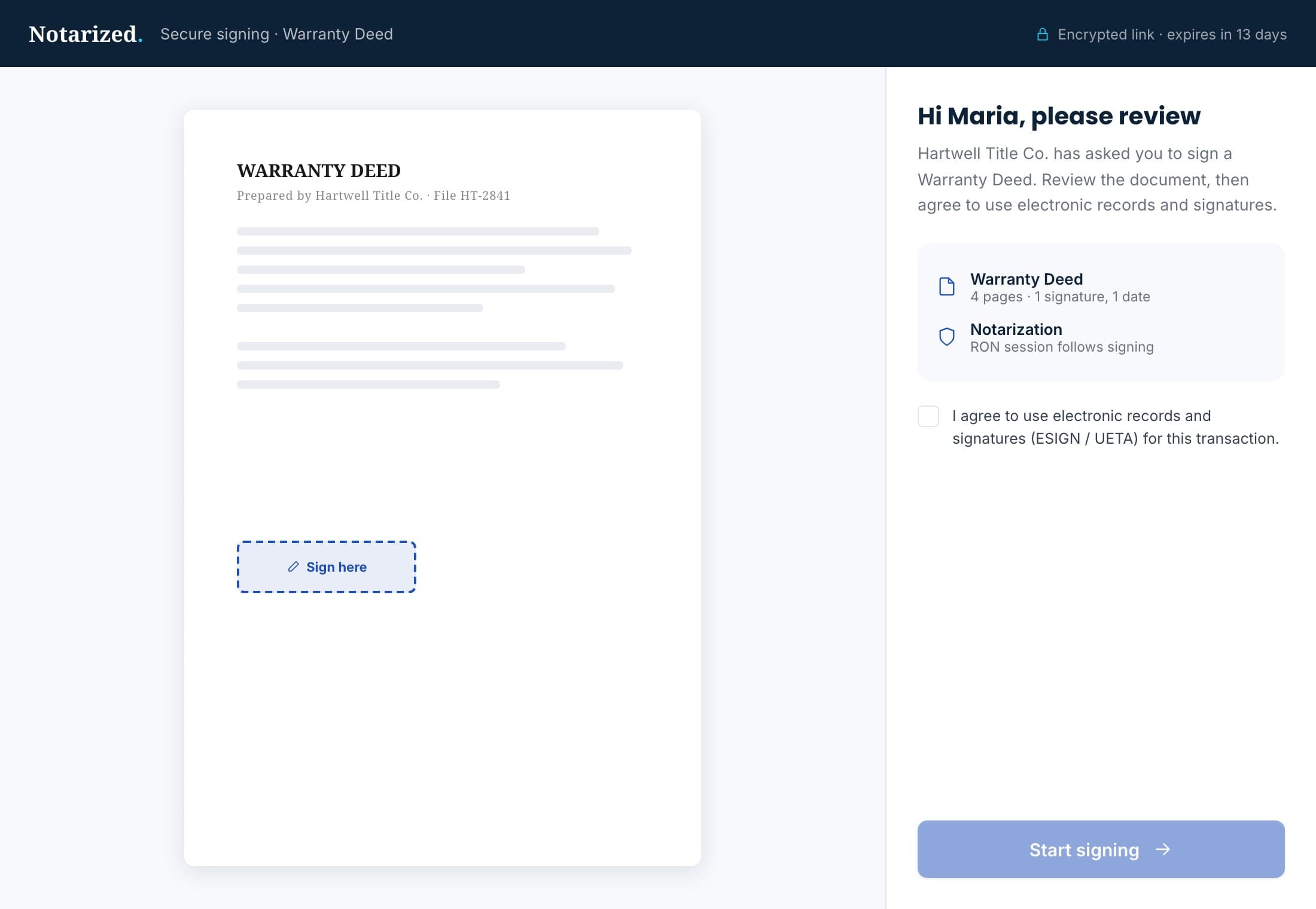
The signer's view: the deed with the signature field highlighted and the request beside it.

Sample data.

Embed it, or connect it.

The signing ceremony can live inside your own portal.
Embedded signingDrop the ceremony into your own page so signers never leave your site.
Public APIEnvelopes, recipients, status and documents over a versioned API with keys per organization.
TemplatesReusable field layouts for the documents you send most.
Bulk sendOne template, many recipients, one report.
Book a demo
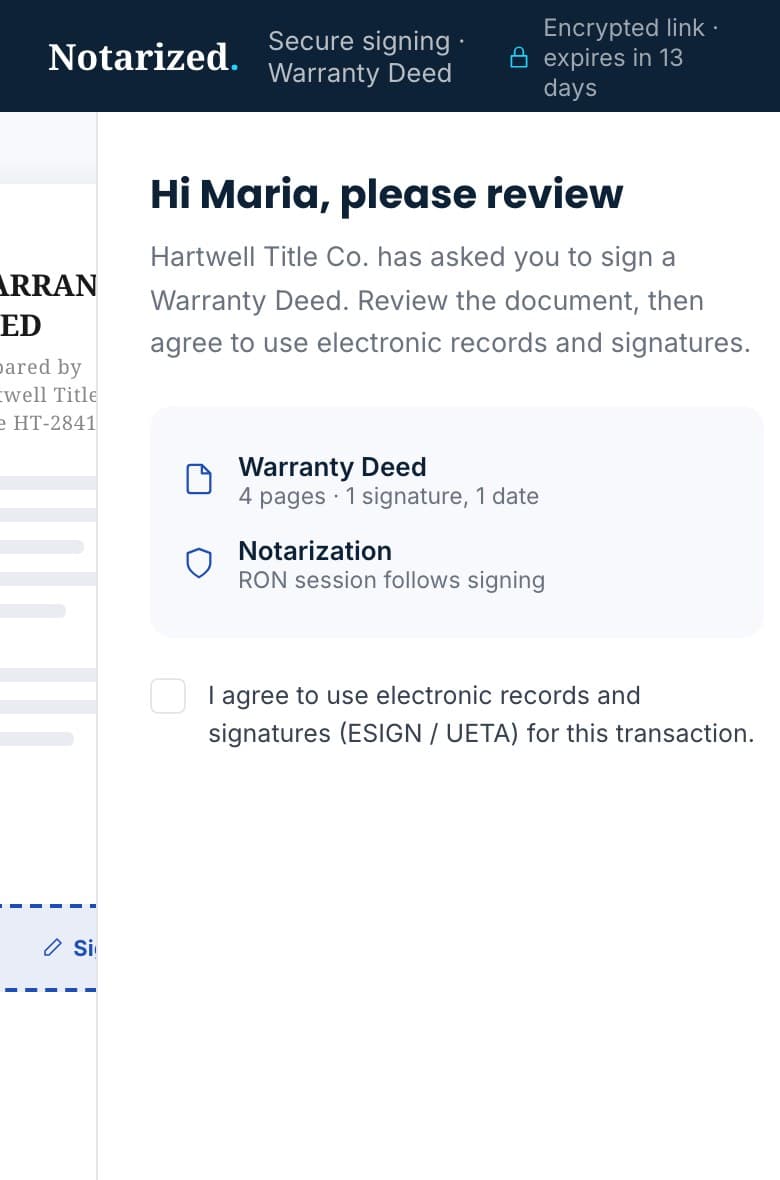
The signer's view on a phone: who is asking, the documents in the envelope, and consent to sign electronically.

Sample data.

Questions we get on the first call.

Is an electronic signature valid on our documents?
Electronic signatures are recognized for most real estate and business documents under federal and state e-signature law. Where a document must be notarized, send it on to a remote or traveling notarization from the same file.
How does the signer prove who they are?
Before signing, the signer's details are checked silently against registry data. There is no knowledge quiz, and the result is recorded on the envelope.
Can we connect it to our own system?
Yes. The eSign service has a versioned public API with keys per organization, and the signing ceremony can be embedded in your own portal.
What do we get back?
The completed document with every signature applied, plus the audit trail of views, consents and signatures, attached to the transaction.

Send your next envelope from the file.

We will build one with your own document and show you the audit trail it leaves.

Sample data.