Notarized
A notary walking up to a front porch at dusk with a document case.

A notary at the table, ordered from the file.

Post the order, pick a notary from the marketplace or your own roster, or hand it to the Notarized team. The journal entry and the signed packet come back to the same transaction.

How an order runs.

From the file to the signer's table and back. Sample data throughout.

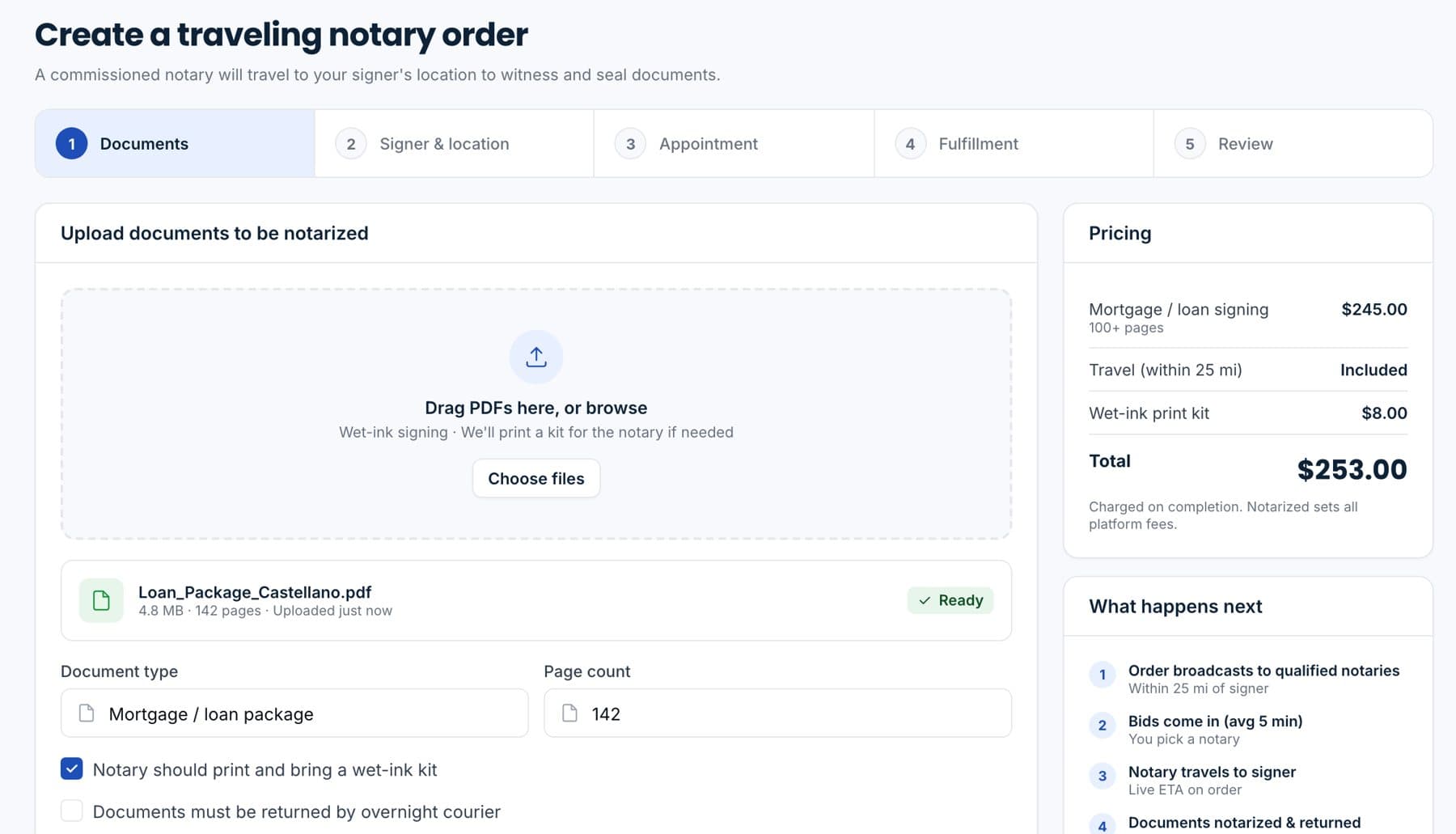
The traveling notary order form with documents, signer, location and pricing.

Sample data.

Create the order

Attach the packet, add the signer's address and the appointment window. Travel distance and the fee show before you confirm.

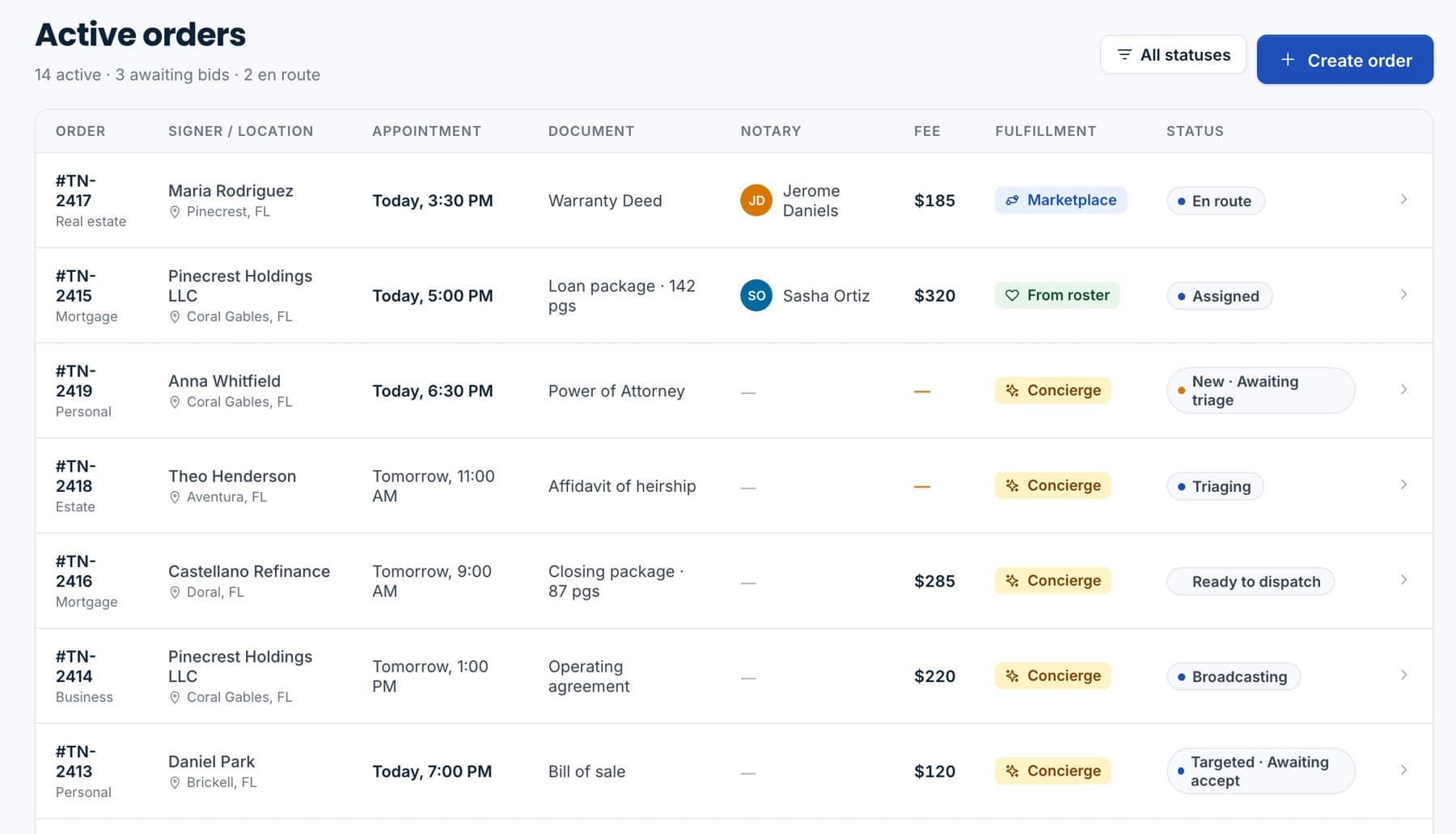
Active orders with how each is fulfilled: marketplace, from roster or concierge.

Sample data.

Choose who goes

Post it to the marketplace for bids, dispatch a notary from your own roster, or hand it to the Notarized concierge team.
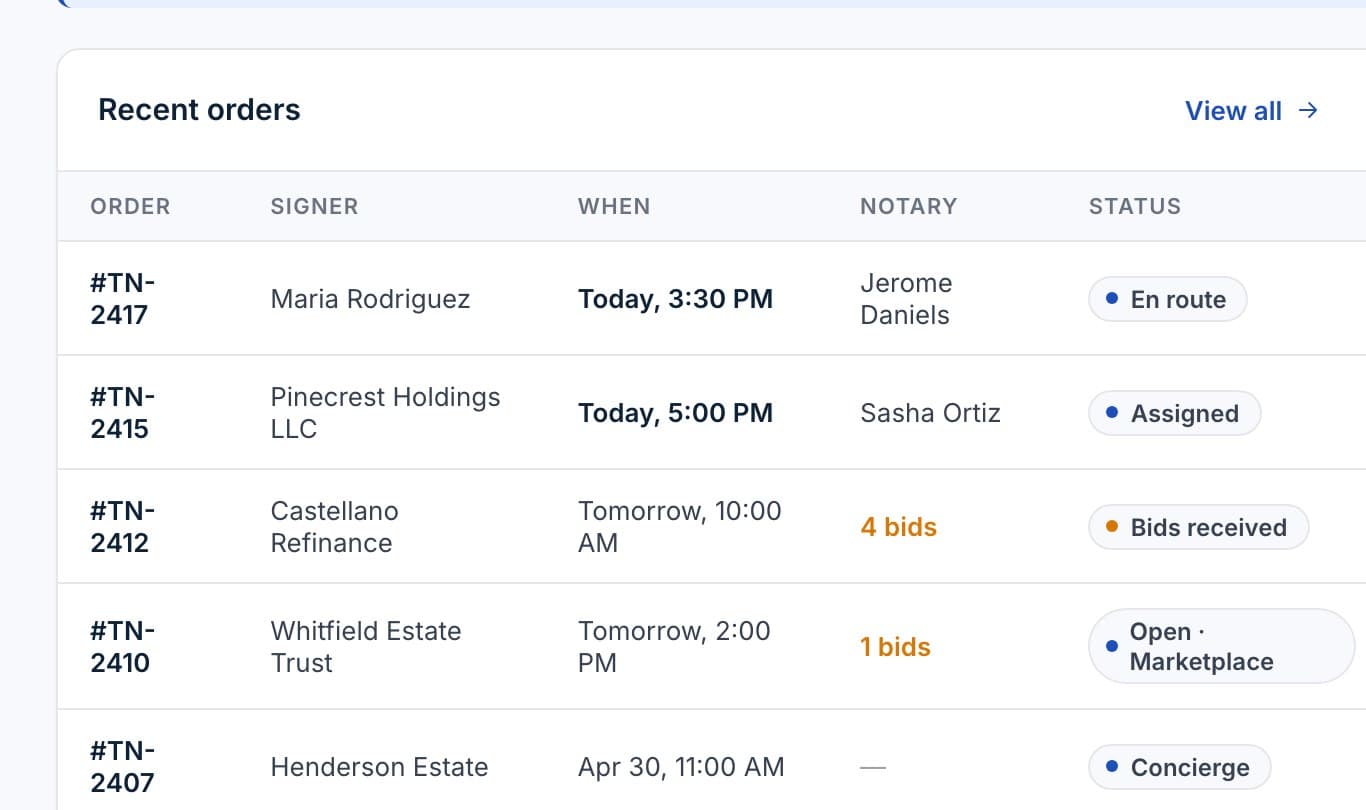
Recent orders with their status: en route, assigned, bids received, open on the marketplace.

Sample data.

Follow the visit

Assigned, en route, at the table, complete. The signer gets the appointment details; you see the status on the order.
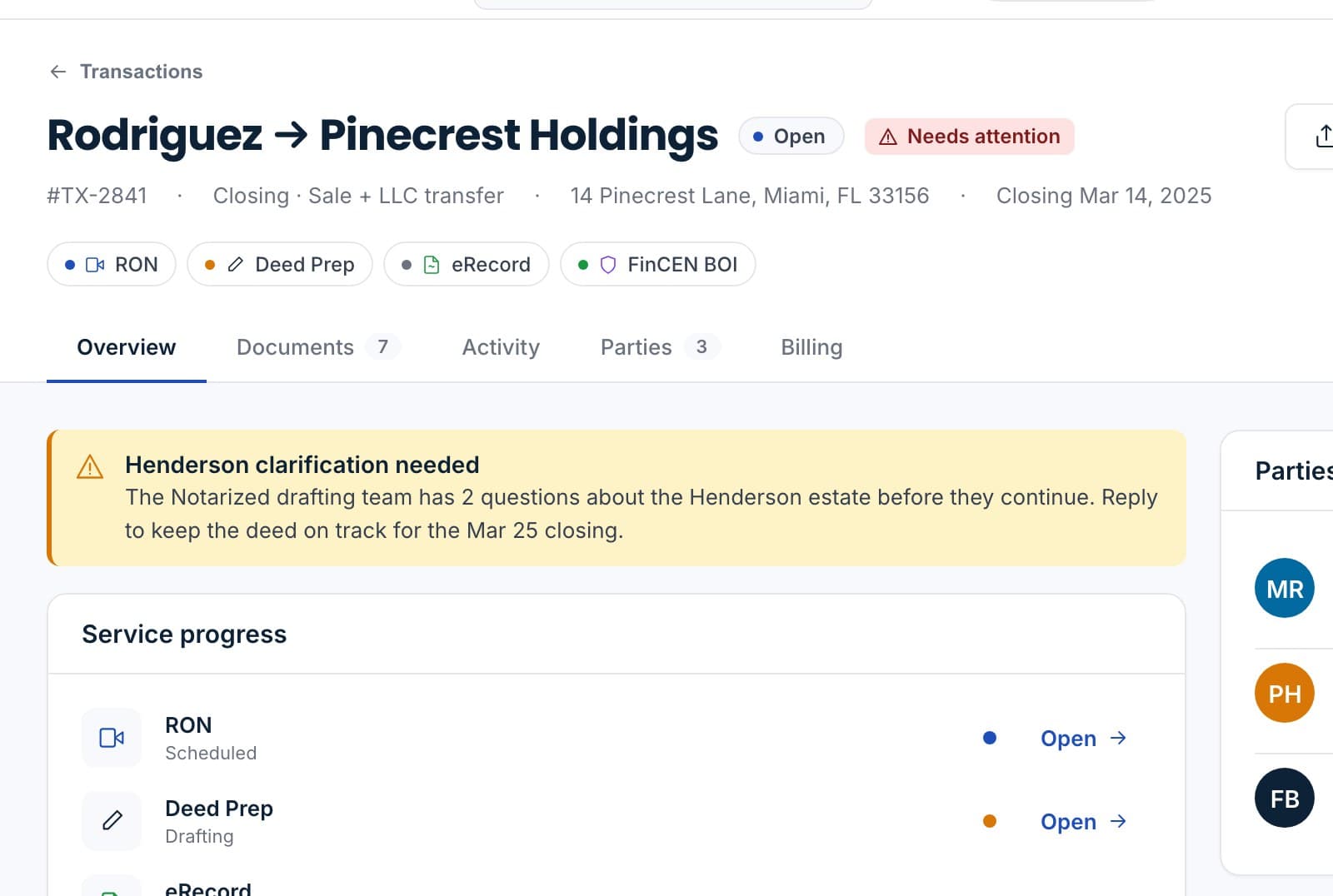
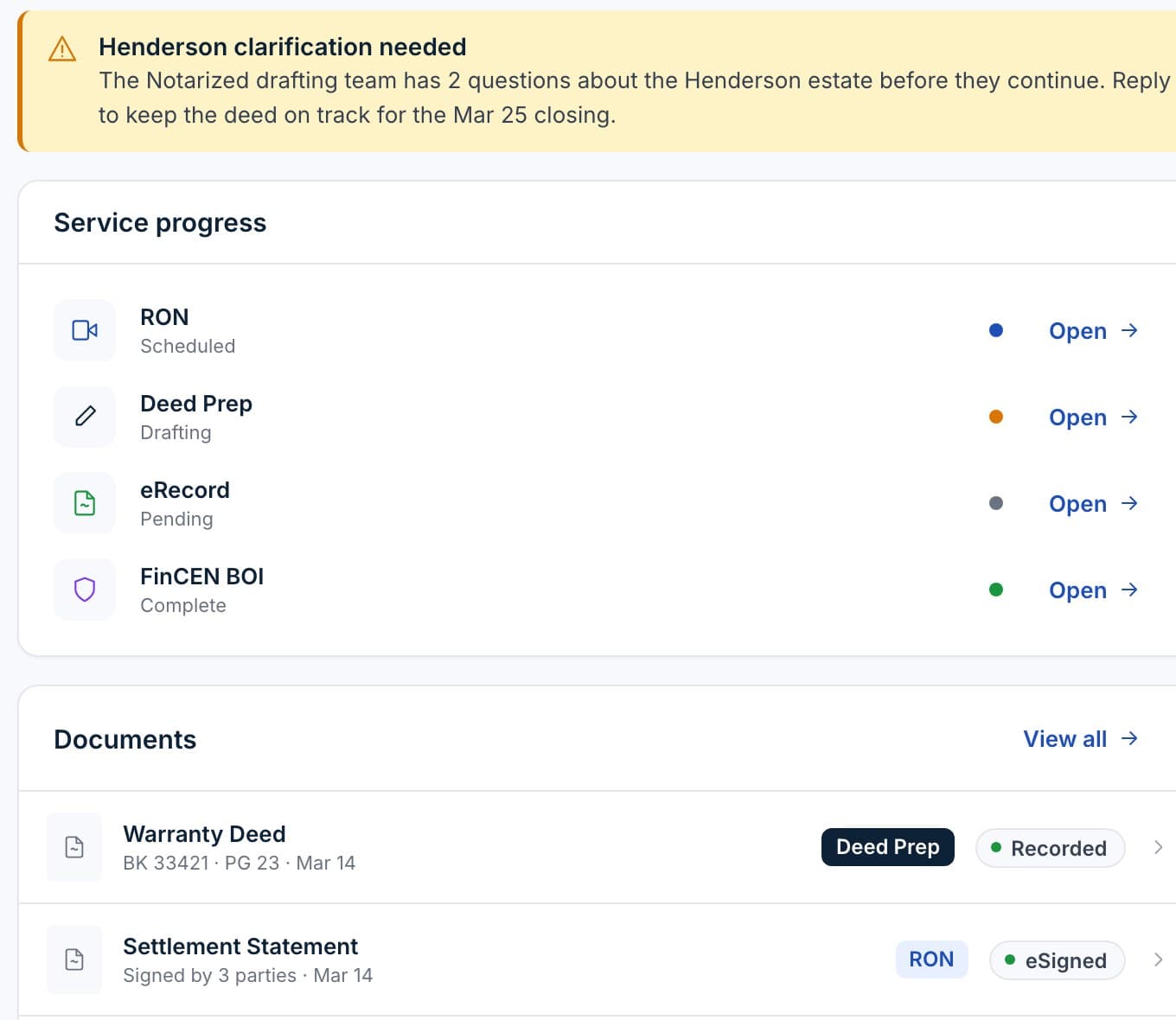
The transaction record with the recorded deed and the eSigned settlement statement attached.

Sample data.

Packet returns to the file

The journal entry is written and the signed documents land on the transaction, ready for eSign, sealing or recording.

Wet ink, when a document or a county still needs it.

Some instruments and some recorders still want a physical signature. A traveling order is the same file, the same record and the same audit trail, with a person at the table.

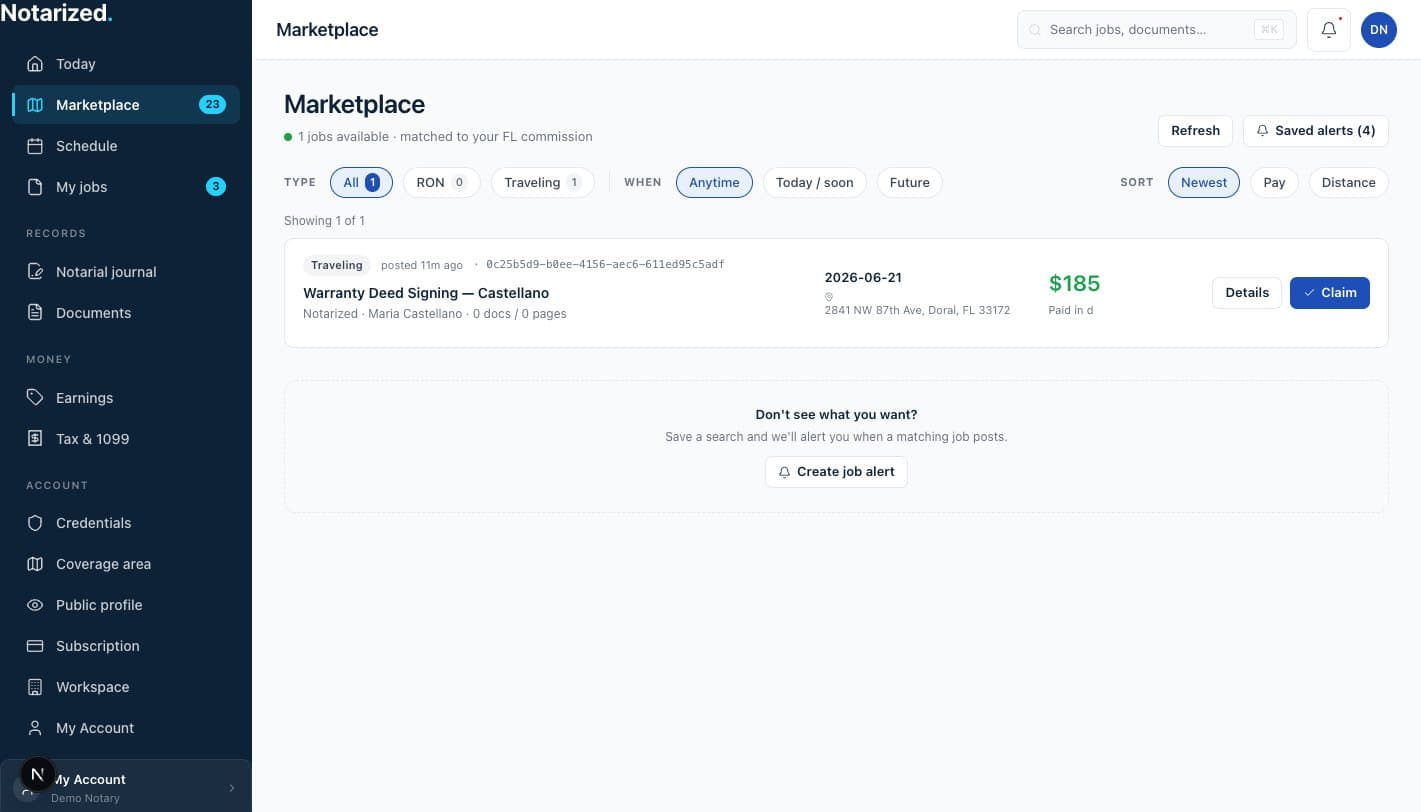
Matched by coverage and credential.

The marketplace shows an order only to notaries whose coverage area and credentials fit it. Commission, state and any required certifications are on file before a notary can claim work.
  • CoverageNotaries set the area they serve; orders are offered by location and travel distance.
  • CredentialsCommission details and certifications live on the notary profile and are checked against the order.
  • Bids and dispatchTake a bid from the marketplace, or send the order to a notary on your own roster.
  • PaymentFees are paid through the platform at checkout; notaries are paid out per completed job.
The notary's marketplace: a traveling job matched to their Florida commission, with the fee and a claim button.

Sample data.

What comes back to the file.

The same record as a remote session, with a visit instead of a video.
Journal entryWritten for every notarial act performed at the table.
Signed packetUploaded to the transaction the same day, ready for the next step.
Order timelineCreated, assigned, en route, completed, with timestamps.
ReceiptFee, travel and payout on the order, exportable with the file.
See the notary side
Service progress and documents on a transaction: the recorded deed and the eSigned settlement statement.

Sample data.

Questions we get on the first call.

How do we know the notary is qualified?
A notary cannot claim an order unless the commission and credentials on their profile match what the order requires, and their coverage area includes the signer's location. You can also keep a roster of notaries you already trust and dispatch to them directly.
Can we use our own notaries?
Yes. Add them to your roster and dispatch orders to them without posting to the marketplace. They use the same app, and the journal and packet come back the same way.
What if nobody takes the order?
Hand it to the Notarized concierge team from the same screen. We source and dispatch a notary and follow the visit for you.
How is it priced?
Per job. The fee, travel and any wet-ink printing show on the order before you confirm, and are paid at checkout.

Send a notary from your next file.

Per-job pricing, no subscription required. We will walk you through an order with your own packet.

Sample data.